v1.40.0
October 1, 2026
What's new across Zentrik, from discovery to delivery.
Latest release
v1.41.0 October 3, 2026
Build study audiences, choose a method, and opt into shared question flows. Initiative capacity now follows status, with add-ons available in the app.
View release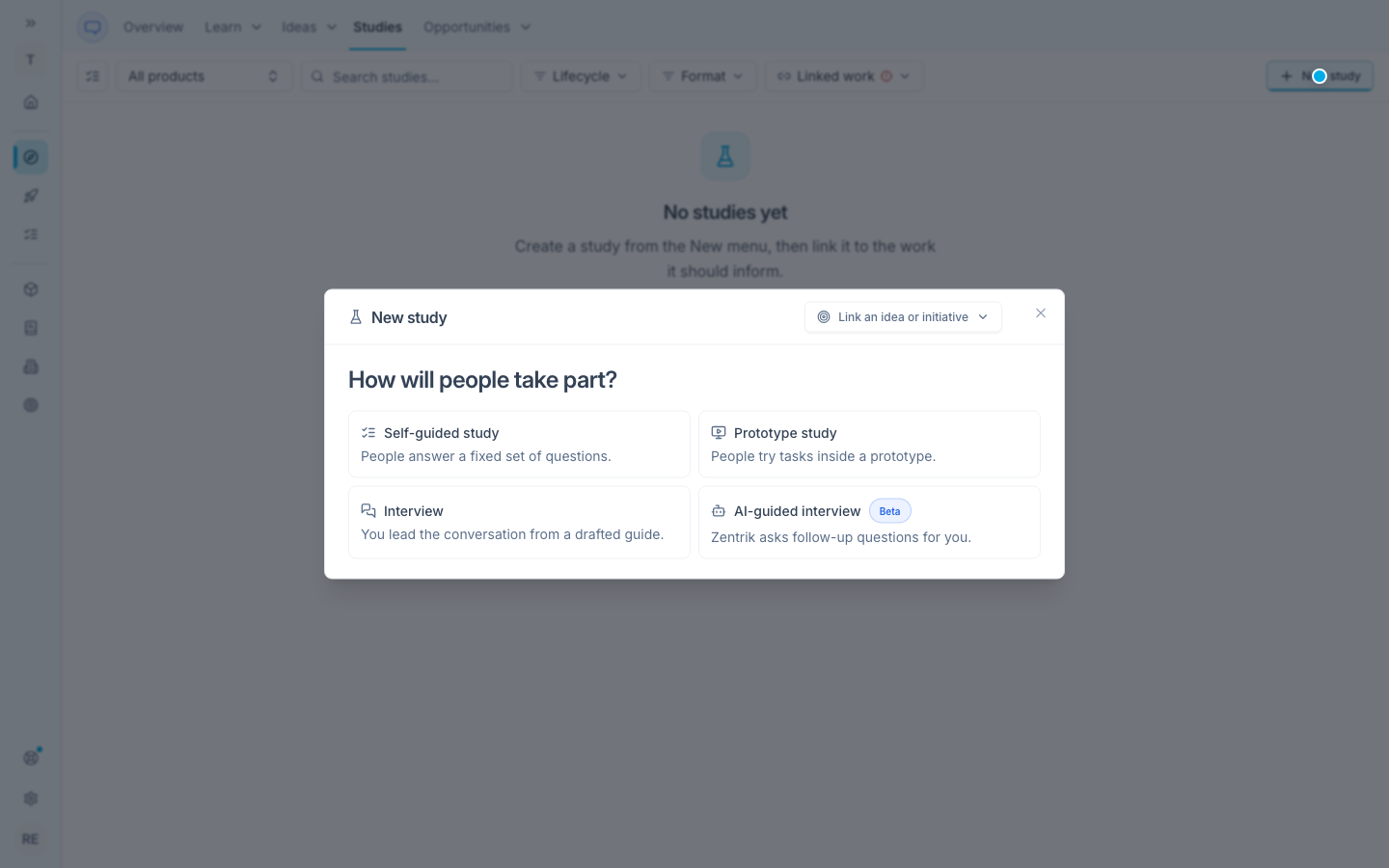
v1.40.0
October 1, 2026
v1.39.0
September 30, 2026
v1.38.0
September 29, 2026
v1.37.0
September 28, 2026
v1.36.0
September 27, 2026
v1.35.0
September 27, 2026
v1.34.0
September 25, 2026
v1.33.0
September 24, 2026
v1.32.0
September 24, 2026
v1.31.0
September 23, 2026
v1.30.0
September 22, 2026
v1.29.0
September 21, 2026
v1.28.0
September 20, 2026
v1.27.0
September 20, 2026
v1.26.0
September 18, 2026
v1.25.0
September 18, 2026
v1.24.0
September 17, 2026
v1.23.0
September 16, 2026
v1.22.0
September 15, 2026
v1.21.0
September 14, 2026
v1.20.0
September 11, 2026
v1.19.0
September 10, 2026
v1.18.0
September 9, 2026
v1.17.0
September 8, 2026
v1.16.0
September 7, 2026
v1.15.0
September 6, 2026
v1.14.0
September 5, 2026
v1.13.0-v1.13.3
September 3, 2026
v1.12.0
August 31, 2026
v1.11.0
August 30, 2026
v1.10.3
August 28, 2026
v1.10-v1.10.2
August 27, 2026
v1.9.2
August 26, 2026
v1.9-v1.9.1
August 25, 2026
v1.8
August 25, 2026
v1.7
August 24, 2026
v0.133
August 24, 2026
v1.6
August 23, 2026
Portal 1.23-1.24
August 23, 2026
Portal 1.21-1.22
August 21, 2026
v1.4-v1.5
August 20, 2026
v1.3
August 18, 2026
v1.1-v1.2
August 17, 2026
v1.0
August 16, 2026
v0.136
August 16, 2026
v0.134-v0.135
August 15, 2026
v0.125-v0.132
August 11, 2026
Portal 1.16.1-1.20
August 11, 2026
v0.124
August 3, 2026
v0.123
August 2, 2026
v0.122
August 2, 2026
v0.121
August 2, 2026
v0.119
July 29, 2026
v0.114-v0.118
July 29, 2026
v0.113
July 26, 2026
v0.111-v0.112
July 26, 2026
Portal 1.10-1.16
July 26, 2026
v0.105-v0.110
July 22, 2026
ChatGPT plugin 1.0.0
July 18, 2026
v0.104
July 16, 2026
v0.103
July 16, 2026
v0.100–0.102
July 14, 2026
v0.99.0
July 12, 2026
v0.98.0
July 12, 2026
Portal 1.9.0
July 12, 2026
v0.97.0
July 10, 2026
v0.96.0
July 9, 2026
v0.95.0
July 9, 2026
v0.94.0
July 8, 2026
v0.93.0
July 8, 2026
Portal 1.8.0
July 8, 2026
v0.92.0
July 7, 2026
v0.89.0
July 5, 2026
v0.88.0
July 4, 2026
v0.87.0
July 3, 2026
Portal 1.7.0
July 2, 2026
v0.84.1
June 29, 2026
v0.80.0
June 25, 2026
v0.76.0
June 24, 2026
v0.75.0
June 23, 2026
v0.74.0
June 22, 2026
v0.73.0
June 22, 2026
v0.72.0
June 20, 2026
v0.71.0
June 19, 2026
v0.54.0
June 16, 2026
v0.53.0
June 15, 2026
v0.52.0
June 15, 2026
v0.51.0
June 14, 2026
v0.50.0
June 12, 2026
v0.49.0
June 11, 2026
v0.48.0
June 10, 2026
v0.47.0
June 8, 2026
v0.46.0
June 5, 2026
v0.45.0
June 3, 2026
v0.40.0
June 2, 2026
v0.39.0
June 1, 2026
v0.38.0
May 31, 2026
v0.37.0
May 26, 2026
v0.36.0
May 5, 2026
v0.35.0
April 28, 2026
v0.34.0
April 21, 2026
v0.33.0
April 14, 2026
v0.32.0
April 6, 2026
v0.31.0
March 30, 2026
v0.30.0
March 14, 2026
v0.29.0
February 28, 2026
v0.28.0
February 15, 2026
v0.27.0
February 1, 2026
v0.26.0
January 21, 2026
v0.25.0
November 20, 2025
v0.24.0
October 28, 2025
v0.23.0
September 23, 2025
v0.22.0
August 7, 2025
v0.21.0
July 14, 2025
v0.20.0
July 9, 2025
v0.19
June 4, 2025
v0.18
May 14, 2025
v0.17
April 24, 2025
v0.16
April 15, 2025
v0.15
April 3, 2025
v0.14
March 6, 2025
v0.13
February 12, 2025
v0.12
February 6, 2025
v0.11
January 13, 2025
v0.10
December 6, 2024
v0.9
November 4, 2024
v0.8
October 25, 2024
v0.7
September 25, 2024
v0.6
September 18, 2024