Use the right record for what you know: the original source, a customer finding, a problem to explore, or work the team has committed to deliver.
You can start with a source or a possible solution. These records connect to each other; you do not need to move every item through every stage.
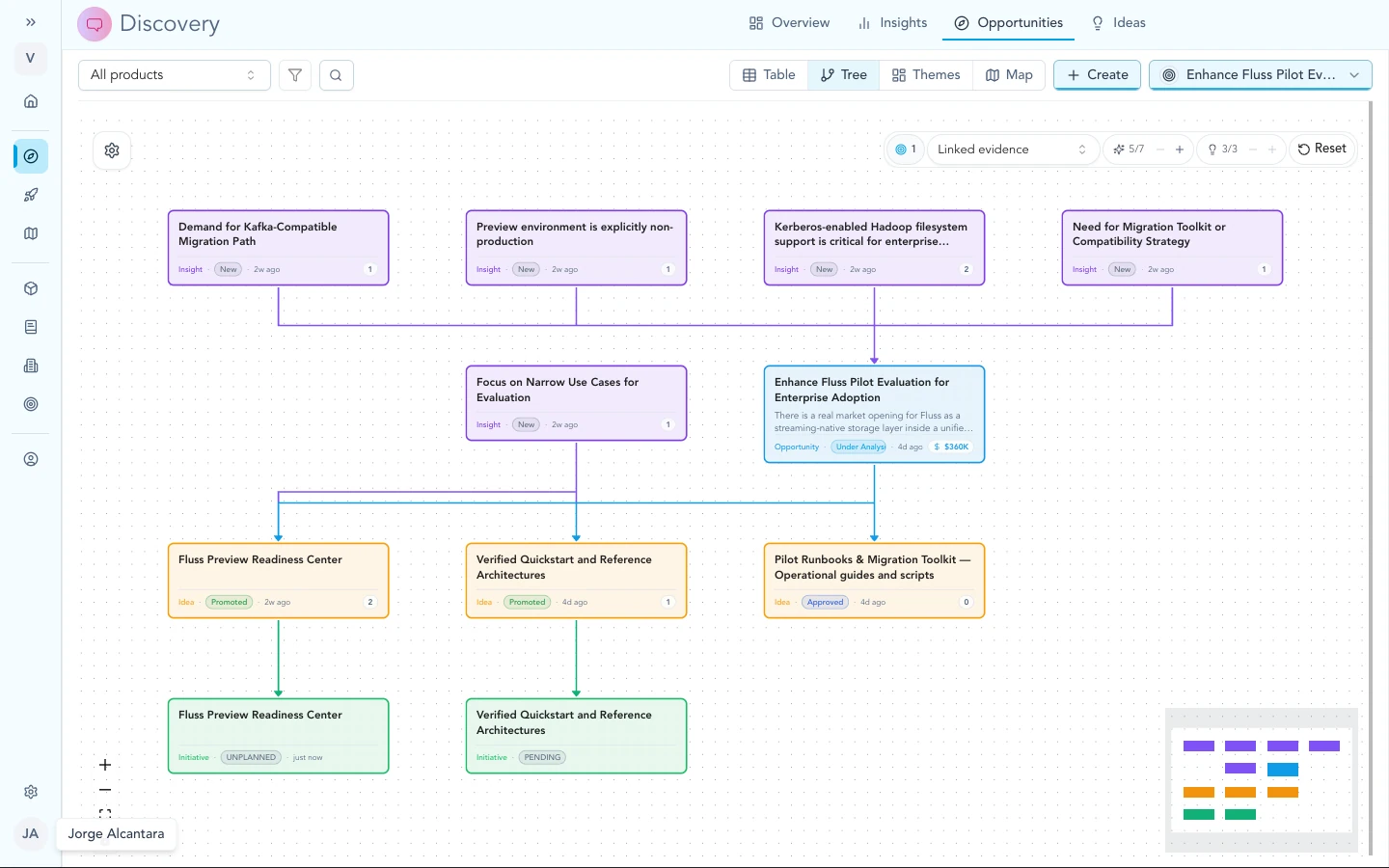
The opportunity tree shows insights, ideas, and initiatives in one place under each bet.
Give Zentrik product context
How workspace context helps
Workspace context describes your company, products, users, and goals. Zentrik uses it to interpret customer input. Keep it current in Workspace context.
Understand the findings
Signals and evidence
A Signal holds an original source, such as a call transcript, ticket, or note. An Evidence item is one claim tied to that source, such as “The customer cannot export filtered results.” One Signal can support several claims.
In Insights, you can review individual evidence items and patterns together. You can act on a useful finding without first choosing a storage type. Use the source link when you need to check the exact wording.
Patterns (insights)
An Insight brings related evidence together as a pattern. For example, several customers may struggle to export reports for different reasons. Open the supporting evidence to check which customers and needs the pattern represents.
Choose the work
Problems and bets (opportunities)
An Opportunity describes a customer problem or potential benefit worth exploring before choosing a solution. For example: “Help finance teams prepare monthly reports with less manual work.” Link the findings that support it. See Insights to opportunities.
Solution ideas
An Idea describes a possible solution, such as “Add scheduled report exports.” It can link to opportunities, insights, and the exact evidence it addresses.
An idea’s direct evidence count represents individual source-backed claims. Its linked insight count represents patterns. Open the evidence when you need the exact customer wording.
Use a Study to test a question about the solution. Idea statuses distinguish a solution worth exploring from a commitment to deliver.

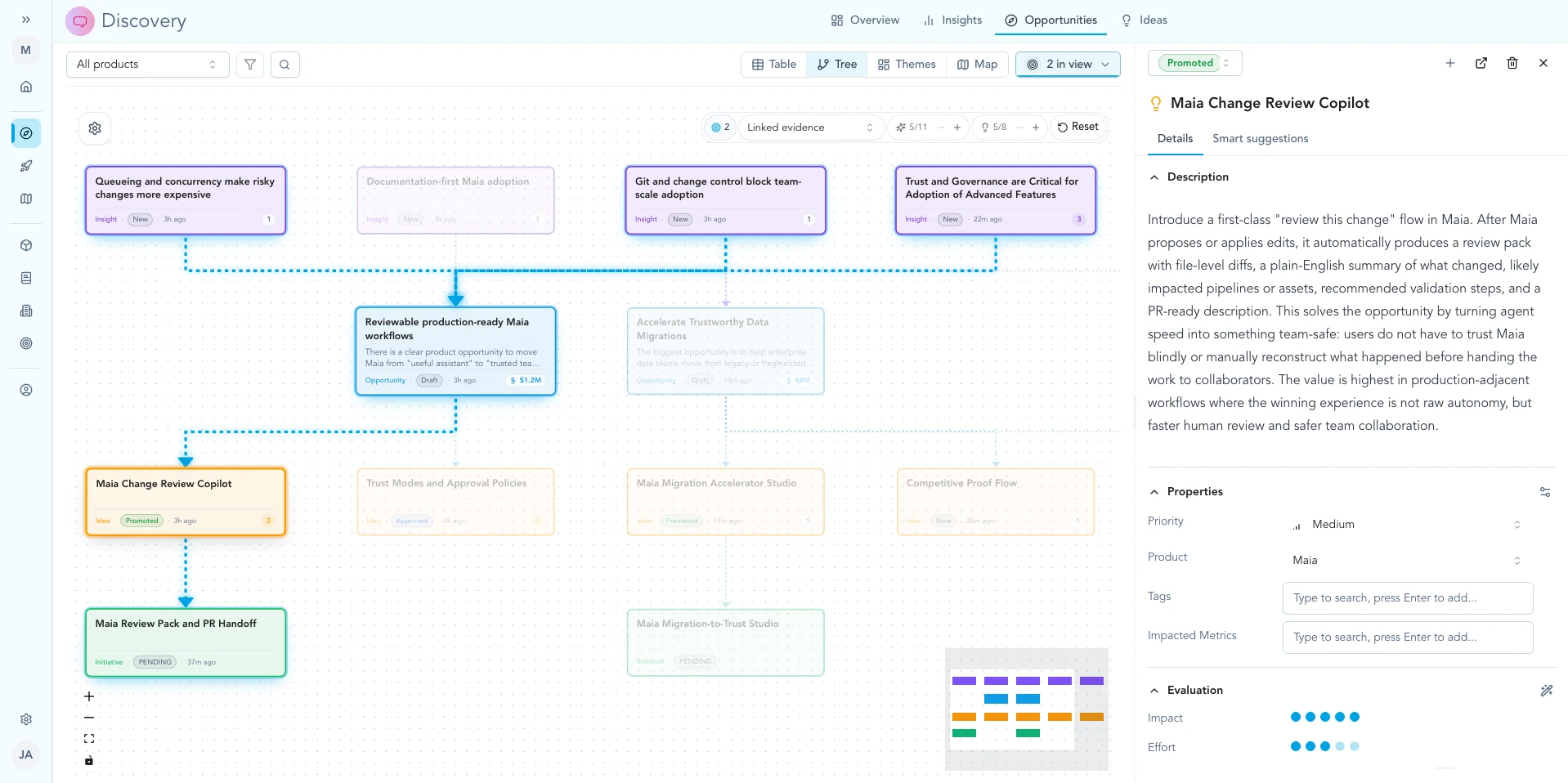
Open an idea to see how it links to opportunities and insights on the tree.
Committed work (initiatives)
An Initiative holds committed delivery work: scope, specifications, tasks, and progress. It keeps links to the evidence behind the decision. For example, the team may commit to scheduled exports while leaving other reporting requests for later.
Follow the links
Seeing it together
Use the opportunity tree to see linked problems, ideas, and initiatives together. Follow the source links when you need to check why a piece of work exists.
Troubleshooting
A record mixes the problem and solution
Keep the customer problem on the opportunity and the proposed solution on the idea. Link both to the evidence that supports them. An idea can remain under review until the team is ready to commit.
Continue from here
Related guides
Did this guide answer your question?
Your response helps us prioritize missing or unclear documentation.
Still stuck?
Send your question to Zentrik support. This guide will be included automatically.