External REST API
Read and write the products, accounts, evidence, decisions, Initiatives, Studies, and workspace context that connected systems need. The API uses JSON over HTTPS and workspace API keys. Vendor connections such as Zoom, Jira, and Google Drive are covered in the integration guides; this reference is for HTTP paths, methods, and payloads.
1. Create a scoped key
Choose only the resources and actions the integration needs.
2. Resolve stable IDs
List products, teams, or records before writing relationships.
3. Follow returned state
Use pagination, retry headers, and job status routes as returned.
API resources
Choose the resource that matches the record or workflow you need. Each reference page keeps its endpoints, request contract, responses, and examples together.
For agents and tooling
A reference agents can retrieve directly
The Markdown reference is generated from the endpoint objects used by these pages, so agents get the same operations, parameters, scopes, responses, and examples as people do.
Authentication
All API requests must include an Authorization header with your API key as a bearer token. You can manage your API keys in the Settings > API Keys section of your Zentrik workspace.
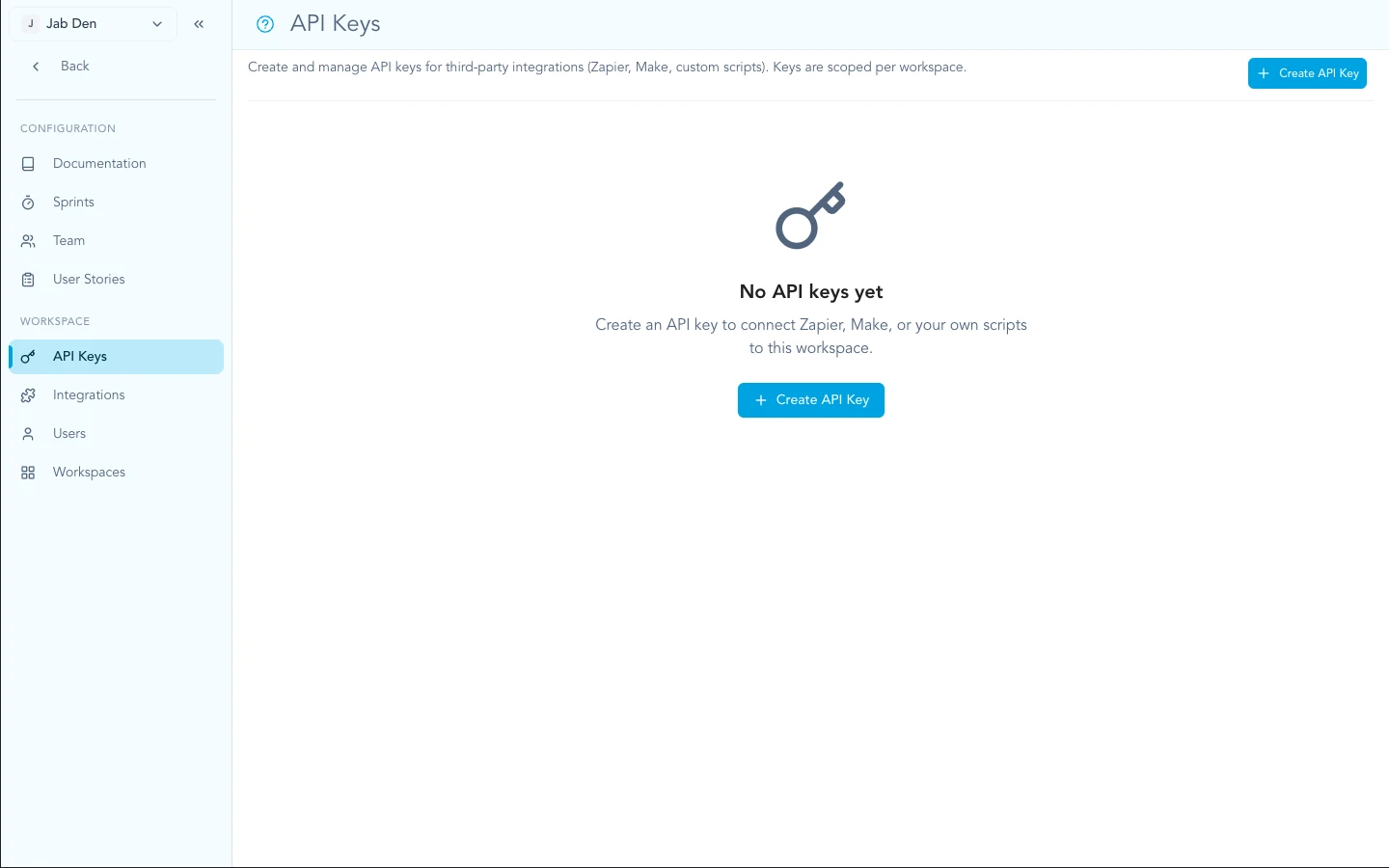
Create and manage keys from Settings → API keys in your workspace.
curl -H "Authorization: Bearer YOUR_API_KEY" \
  https://zentrik.ai/api/external/v1/insights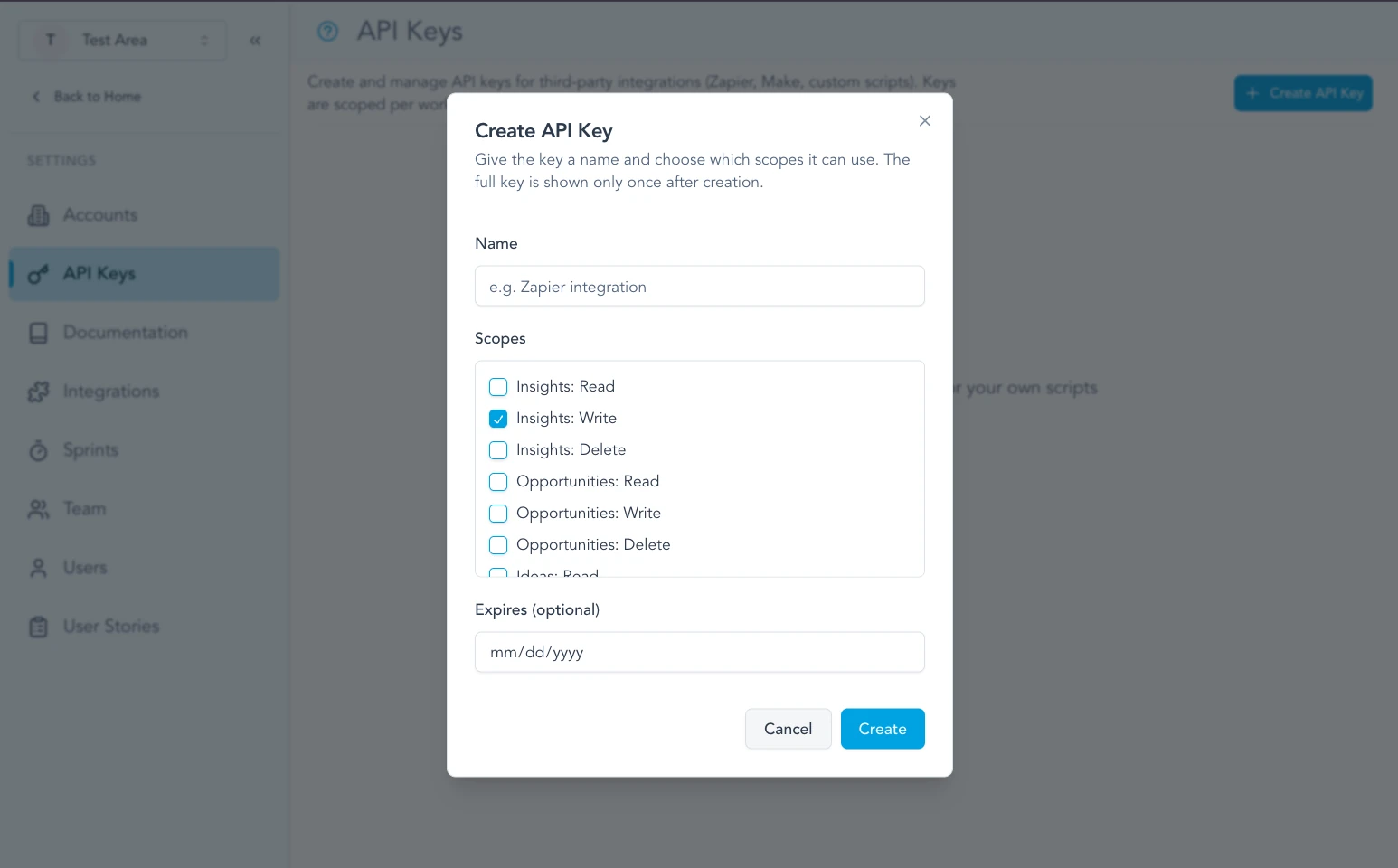
Each key can be limited to the API scopes your automation needs.
Grant only the scopes your integration needs. Taxonomy automation usestaxonomies:read,taxonomies:write,taxonomies:publish,classification-runs:read,classification-runs:write, andclassification-queue:read depending on whether the client only previews definitions or also publishes and refreshes classifications.
Keep your API keys secret. Do not share them or commit them to public repositories. If a key is compromised, revoke it immediately in the dashboard.
Requests, pagination, and limits
Send JSON over HTTPS. Paginated catalog endpoints return the requested items in the response body and describe the page in response headers.
Pagination
Start with offset=0. Advance by X-Limit while X-Has-More is true. The maximum page size is 100.
Rate limits
The standard policy is 10 requests per second, 100 per minute, and 1,000 per hour for each API key. Contract-specific limits can differ. Read the returned RateLimit headers instead of hard-coding a delay.
Retries
A 429 response includes Retry-After. Wait for that many seconds. Retry transient failures with bounded exponential backoff, but fix validation and permission errors before retrying.
X-Total-Count: 42
X-Limit: 20
X-Offset: 0
X-Has-More: true
RateLimit-Policy: 10;w=1, 100;w=60, 1000;w=3600
RateLimit-Limit: 10
RateLimit-Remaining: 9
RateLimit-Reset: 1
Error responses
Errors use the HTTP status code as the primary contract and include a concise message. Rate-limit errors also include reasonCode, retryable, and retryAfterSeconds.