The initiative overview points to the next action, and Discovery suggests what to connect.
The initiative overview now leads with the next action instead of a status report, and Discovery record pages suggest what to link or merge while related evidence sorts by signals, ARR, or score. This release also brings Jira support tickets in as signals and makes the idea and theme atlases ready for real, dense data.
What changed
- The initiative overview opens with what to do next: lifecycle position, a named next action, and live step progress while generation runs
- Discovery record lanes suggest related records to link and similar records to merge, including when a lane is still empty
- Related insights and ideas sort by linked signals, account ARR, or score, so the most evidenced records appear first
- Record pages open faster and hold steady: idea load time stays flat as relationships grow, and the properties rail no longer jumps while it loads
- Jira Service Management tickets import as support signals, not just ideas, so support evidence flows into insights like any other signal
- The idea and theme atlases are ready for real data: bounded sampling, readable clusters, and honest empty and error states
The overview points forward
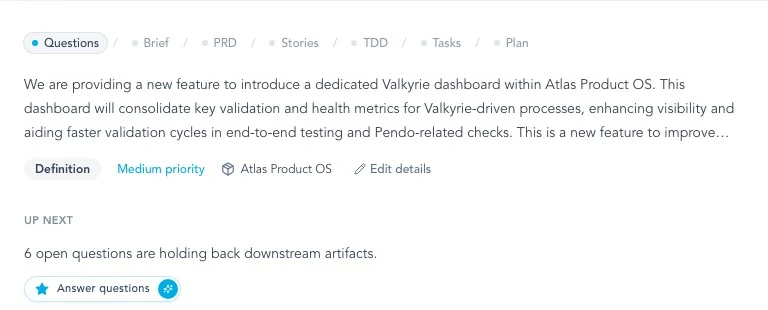
Initiative overviews used to summarize status and leave the next step to you. The rebuilt overview names it. A lifecycle strip shows where the initiative stands, 'Up next' says what would unblock it, and generation jobs report each step while they run. Health rows link straight to the place where each gap gets resolved.
- The next action is on screen, not inferred from a status grid
- Generation progress is visible step by step
- Each health warning links to where it gets fixed
Lanes suggest the next connection
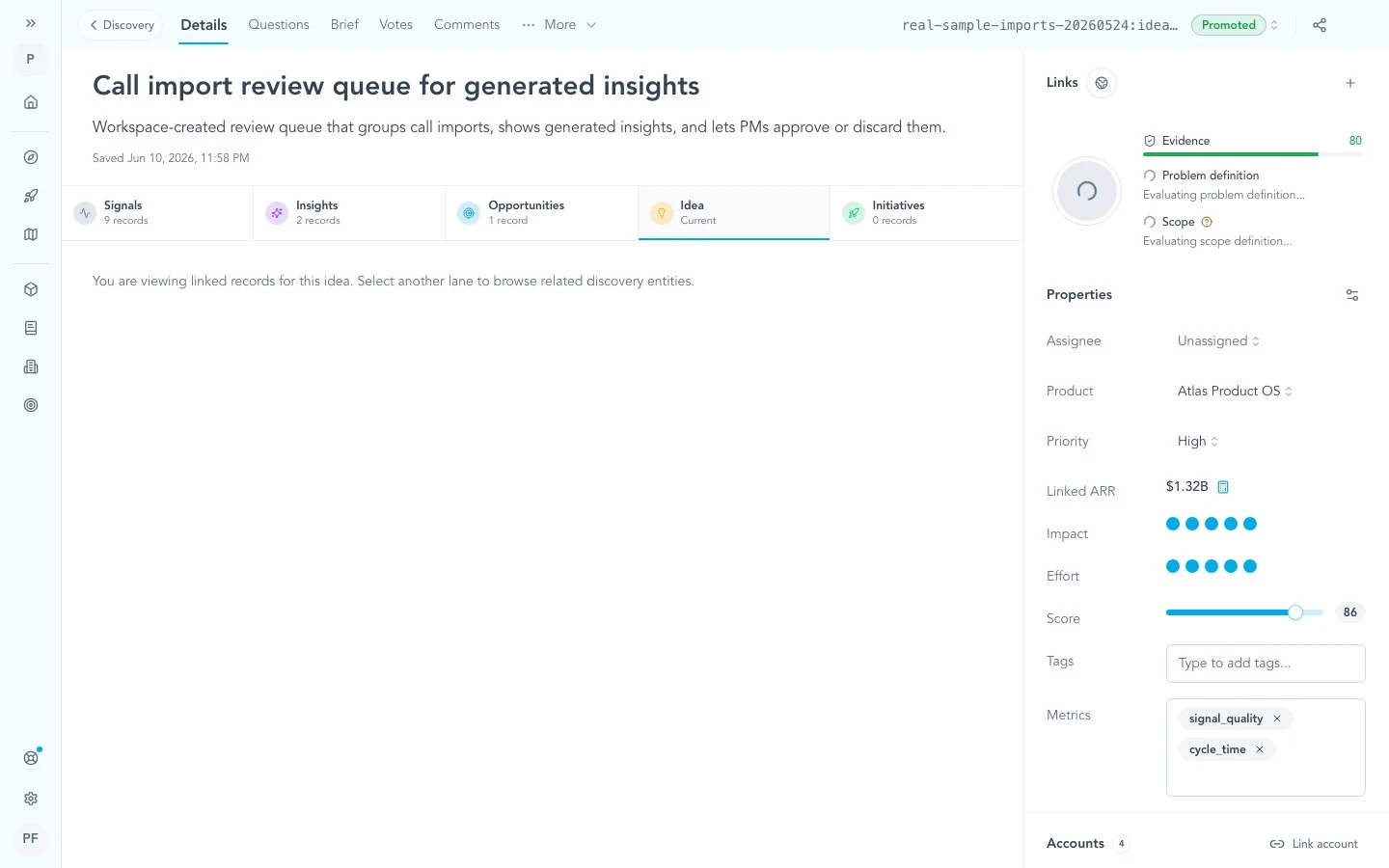
Discovery record pages now propose work inside each lane. On the focal lane, similar records appear as merge candidates wired to the existing merge flow. On cross-type lanes, unlinked related records show up as suggestions. An empty lane proposes where to start instead of showing nothing.
- Likely duplicates surface in context, without a separate search
- Missing links appear exactly where the connection belongs
Evidence rises to the top
Long lists of related insights and ideas can now be sorted by linked signal volume, related account ARR, or idea score, with the metric shown beside each row. The sections themselves render as quiet divided rows rather than stacked cards, so a record with hundreds of relations reads like a list.
- The most evidenced or highest-revenue records appear first
- Paging continues under whichever sort is active
Support tickets become signals
Jira Service Management tickets can now import as support signals instead of only ideas. Selected tickets run through the same pipeline as any other signal, becoming part of the evidence behind insights. Imports add advanced JQL alongside the guided filters, optional signal field mapping, and account mapping.
- Support evidence reaches insights, not just the idea backlog
- Advanced JQL and account mapping fit real customer setups
More in this release
Initiative workspace
Navigation and state fixes behind the overview redesign.
- Tabs explain locked sections and show a spinner only while a generation job runs on that section
- The sidebar stays open across tab switches and auto-closes only for immersive document reading
- Creating an initiative lands on the overview instead of a blank route
- Stories keep rendering while they refresh, so returning to the tab no longer shows an empty state
- Loading indicators start idle and only switch on during real fetches
- 'Create milestones' is unavailable while its own generation job is already running
Discovery, records, and the app
Linking accuracy, record-page reliability, team management, and app-wide polish.
- Link pickers no longer offer records that are already linked
- Account link and unlink changes apply immediately in record sidebars
- Active filters now show as removable chips on the opportunity tree canvas, and hidden evidence is explained with a one-click clear
- A rolling 24-hour window replaces the 'Today' view that reset to zero at midnight
- Starting an analysis run closes the scope chooser and shows full-screen progress on first runs
- Stale signals can be retried from the signals table and the signal sidebar
- Record properties resolve visibility before first paint, removing the layout shift while pages settle
- Team settings are rebuilt around access: a single focused table and a multi-invite dialog that takes several emails at once
- Keyboard focus rings are unified on a calm, accessible style and appear only for keyboard navigation, not after a mouse click
- Workspace record IDs are allocated atomically, preventing duplicate public IDs under concurrent creation