Review agent runs and compare prototypes
Check an agent's saved instructions before a run, compare prototypes in Gallery or Table, and copy draft Study links before launch.
What changed
- Review the saved source, work unit, and launch setup before starting an agent run. Changes to reviewed inputs require a new review.
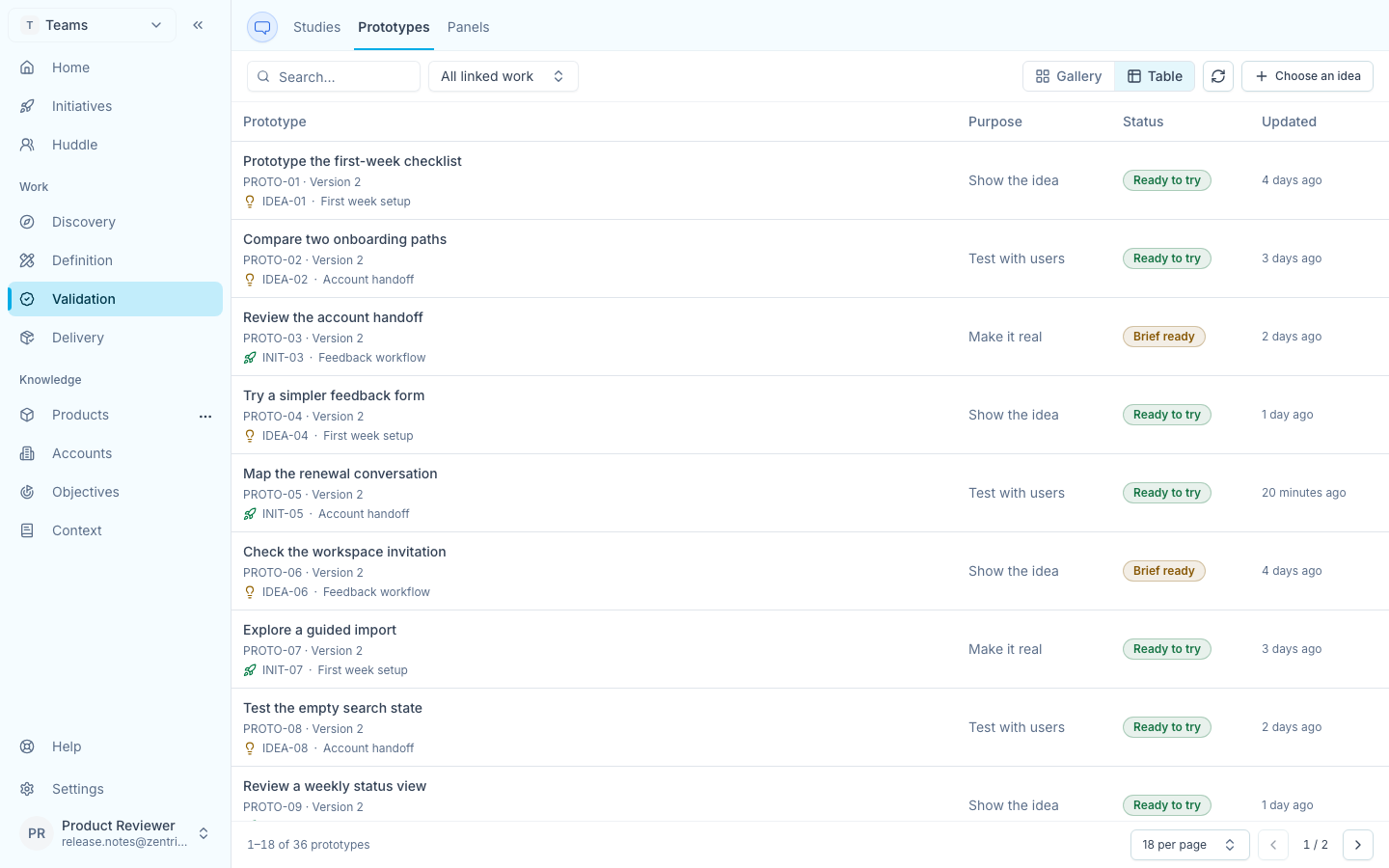
- Switch Validation prototypes between Gallery and Table while filters, page size, and visible pagination stay in place.
- Copy a participant link from a portal-based draft Study before launch. Copying does not publish the Study or send an invitation.
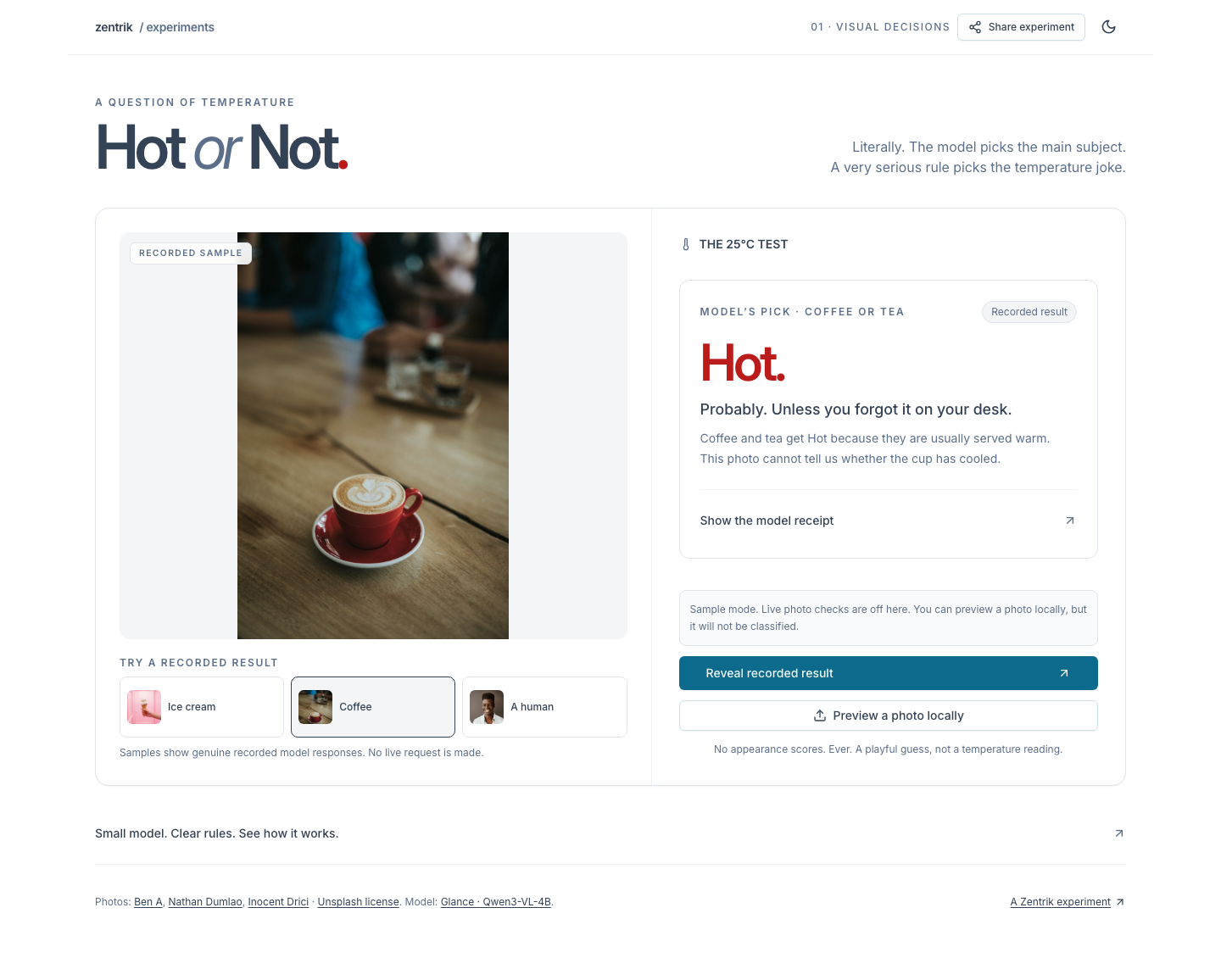
- Use Jev and Hot or Not sample flows before live access is enabled; sample choices show recorded results without a provider request.
Review an agent run before it starts
From a saved Initiative source, review the saved instructions, selected work unit, its plan, deliverable summary, and launch setup before starting an execution agent. If a reviewed input changes, Zentrik asks you to review the new version first. Existing protection against duplicate or uncertain launches remains in place.
Compare prototypes in Gallery and Table
Open Validation, then Prototypes, to compare linked prototypes as cards or rows. Filters and page size stay in the URL, and pagination remains visible while results scroll.
Copy a draft Study link
For a portal-based draft Study, copy its participant link before launch. Copying does not publish the Study or send an invitation. The companion portal release 1.34.1 is deployed and checked first; private drafts remain unavailable to participants.
Try public labs with a recorded sample
Jev and Hot or Not show useful sample flows when live analysis is off. Choosing a sample displays its recorded result; a photo preview stays in your browser. Live analysis still needs configured access and your explicit consent.
More in this release
Planning and reliability
- Failed Persona edits keep the browser draft. Zentrik confirms only values the server saved before you leave the page.
- Scheduled session refresh can recover from temporary failures with capped retries, then stops after invalidation or cleanup.
- Invalid MCP tool inputs now return bounded correction guidance. Rejected calls still do not run, and authorization checks remain in place.
Product guidance and upkeep
- The homepage carries one example from the first ticket through the next signal. Phone and reduced-motion layouts keep a complete static story.
- Sample mode for the Jev and Hot or Not labs makes no live provider request; a live photo or call requires explicit consent when live access is available.
- The release also updates selected security and browser dependencies and clarifies public integration and participant guides.