Optionally accept applications, review the applicant, and send a separate invitation after approval.
Before you start
Public application intake is optional and starts closed. A whole-portal administrator manages Applications and chooses whether to open it. This queue is separate from community membership and from invitations.
If your program is invitation-only, leave intake closed and invite People directly. Closing intake retains existing applications for review.
Open intake and explain the next step
Open Applications in portal administration and use its intake setting. Share the public application route only when you are ready to review requests.
The form collects the applicant’s name, email, organization, role and short note. It does not require community membership and cannot grant private access. A repeated application receives the same generic receipt without revealing whether that email is a Person, member, approved or declined applicant.
Tell applicants that submitting a request is not acceptance into the community. Do not ask them to include confidential customer information in the note.
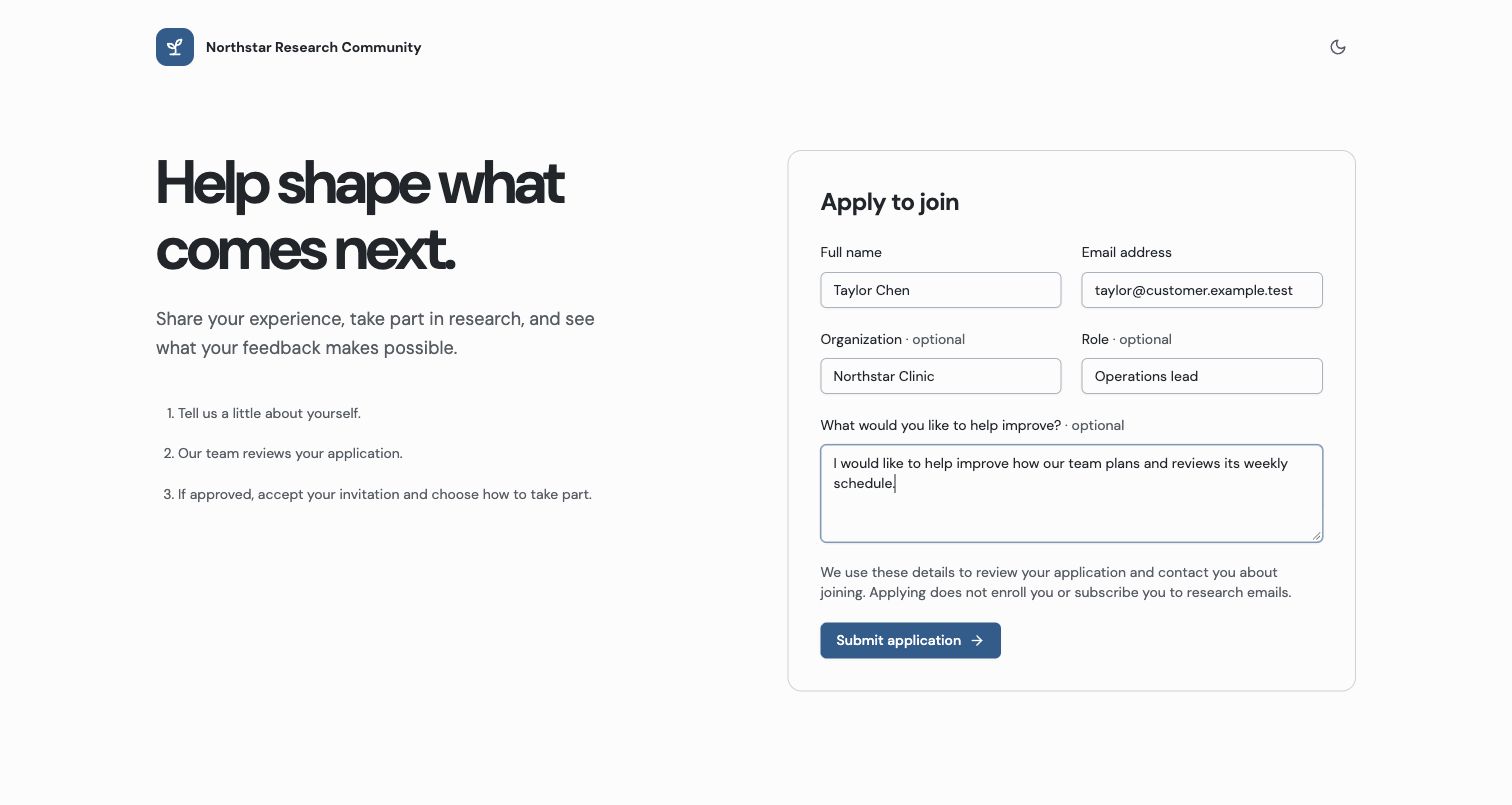
Applying expresses interest; it does not create enrollment or subscribe the applicant to research emails.
Review and decide
- Open a pending application and read the original submitted context.
- Check any match to an existing Person. Organization and role here are self-reported; approval does not assign an Account or overwrite saved contact details.
- Select Approve and prepare invitation when appropriate. The portal reuses a single normalized-email Person match or creates a name/email Person when none exists. If matches are ambiguous, resolve the duplicates in People first.
- Use the invitation controls opened after approval to review groups and send the separate invitation.
- Decline a request when appropriate, or return a declined request to review if the decision changes.
Approval records the decision but does not enroll the applicant, accept consent, enable email preferences or send email. Declining also sends no automatic email. Group administrators cannot inspect unassigned applications simply because they manage a group.
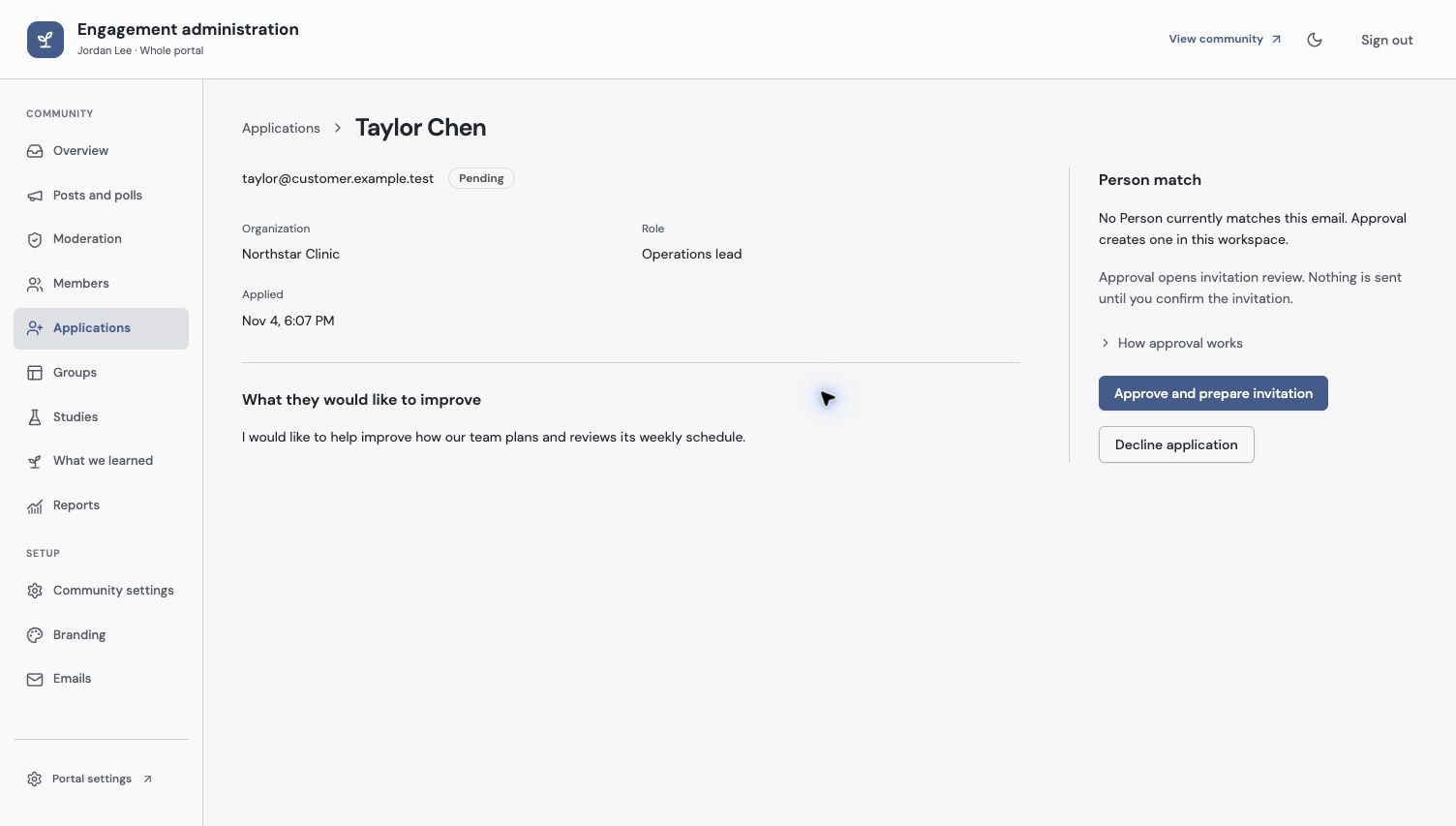
Approval opens invitation review. It does not send an invitation or accept consent for the applicant.
Check the applicant’s result
Confirm the decision in the queue, then inspect the separate invitation record. To verify the complete path, have the intended applicant follow their invitation through sign-in, participation consent and email choices. Only that acceptance creates community membership.
If the form is closed while someone still has it open, a later submission must respect the closed state. Ask them to use a current invitation or contact the program team through its normal channel.
See membership states to distinguish an application decision from an invitation or enrollment.
Troubleshooting
Approval is blocked by multiple People matches
Resolve the duplicate email matches in People. Do not create a third Person or change the applicant’s email to force approval.
An approved applicant still cannot enter
Check whether a reviewed invitation was issued and accepted. Approval alone creates no participant session, consent or private access.
Continue from here
Related guides
Did this guide answer your question?
Your response helps us prioritize missing or unclear documentation.
Still stuck?
Send your question to Zentrik support. This guide will be included automatically.