Control optional community messages and understand which choices keep or end private participation.
Before you start
Sign in to the community as the enrolled participant whose choices you want to change. Open Preferences from member navigation. A staff administration session alone is not your member preference record.
Research invitations, announcements and weekly digests are separate choices. You do not need to accept all categories to keep participating.
Change individual email choices
Switch the categories you want on or off under Choose your emails:
- Research invitations covers Study requests and eligible reminders.
- Announcements covers updates an administrator explicitly chooses to email.
- Weekly digest covers the configured roundup when you are eligible for it.
Each change saves when you switch it. Wait for Saved. If a save fails, review the displayed error and current switch state, then try again; a visible change is not enough if it did not save.
These choices apply to this community. Global or topic email opt-outs can also prevent delivery. Turning on a category is not a guarantee that every available item will be emailed to you.
Pause and resume email
Select Pause all emails to stop program emails while retaining private community participation. Check that the page says Emails are paused.
You can still open groups, complete an available Study and read published learnings while paused. Pause is useful when you want a break from messages rather than leaving the program.
Select Resume emails when ready. Your separate category choices still matter; resuming does not opt you into every category or create a request that was never sent. Current eligibility is also checked when scheduled messages are attempted.
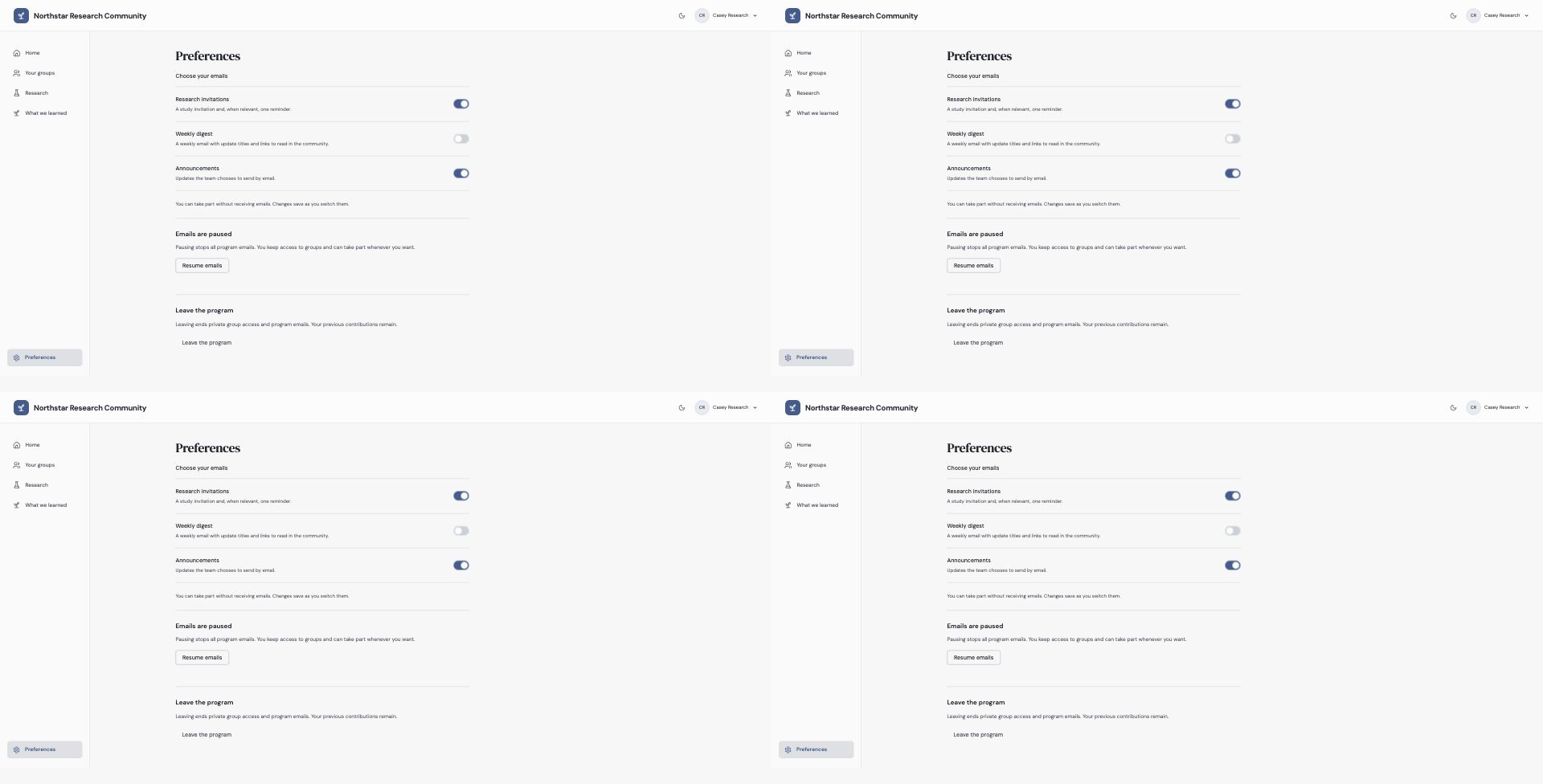
Pause stops emails while retaining participation. Leaving ends private group access; it is a separate action.
Leave the program
Choose Leave the program, read the explanation and select Confirm departure if you want to leave. Use Stay in the program to cancel.
Leaving ends private group access and program emails. Previous contributions remain. If Ideas is available, it can retain its separate access rules; leaving Engagement is not a request to delete all previous Ideas or Study activity.
To rejoin after departure or removal, ask the administrator for a new invitation. Signing in again alone does not reinstate membership. If you only want fewer messages, use the category switches or pause instead.
Check the resulting state and use a current member page rather than assuming an old tab reflects the saved change. See membership states for the differences.
Troubleshooting
Email is paused but I can still read my groups
That is expected. Pause changes email participation, while leaving ends private group access.
I enabled a category but receive nothing
Check whether all emails are paused and whether another global/topic opt-out applies. An administrator must still choose an eligible item and send it.
Continue from here
Related guides
Did this guide answer your question?
Your response helps us prioritize missing or unclear documentation.
Still stuck?
Send your question to Zentrik support. This guide will be included automatically.