Follow an idea or initiative to see new unassigned questions from teammates in your Inbox.
You can follow any idea or initiative you have permission to view, including as a viewer.
Follow a record
- Open the idea or initiative.
- Open its ⋯ menu in the top-right corner.
- Select Follow idea or Follow initiative. Check the same menu for Unfollow idea or Unfollow initiative to confirm you’re following.
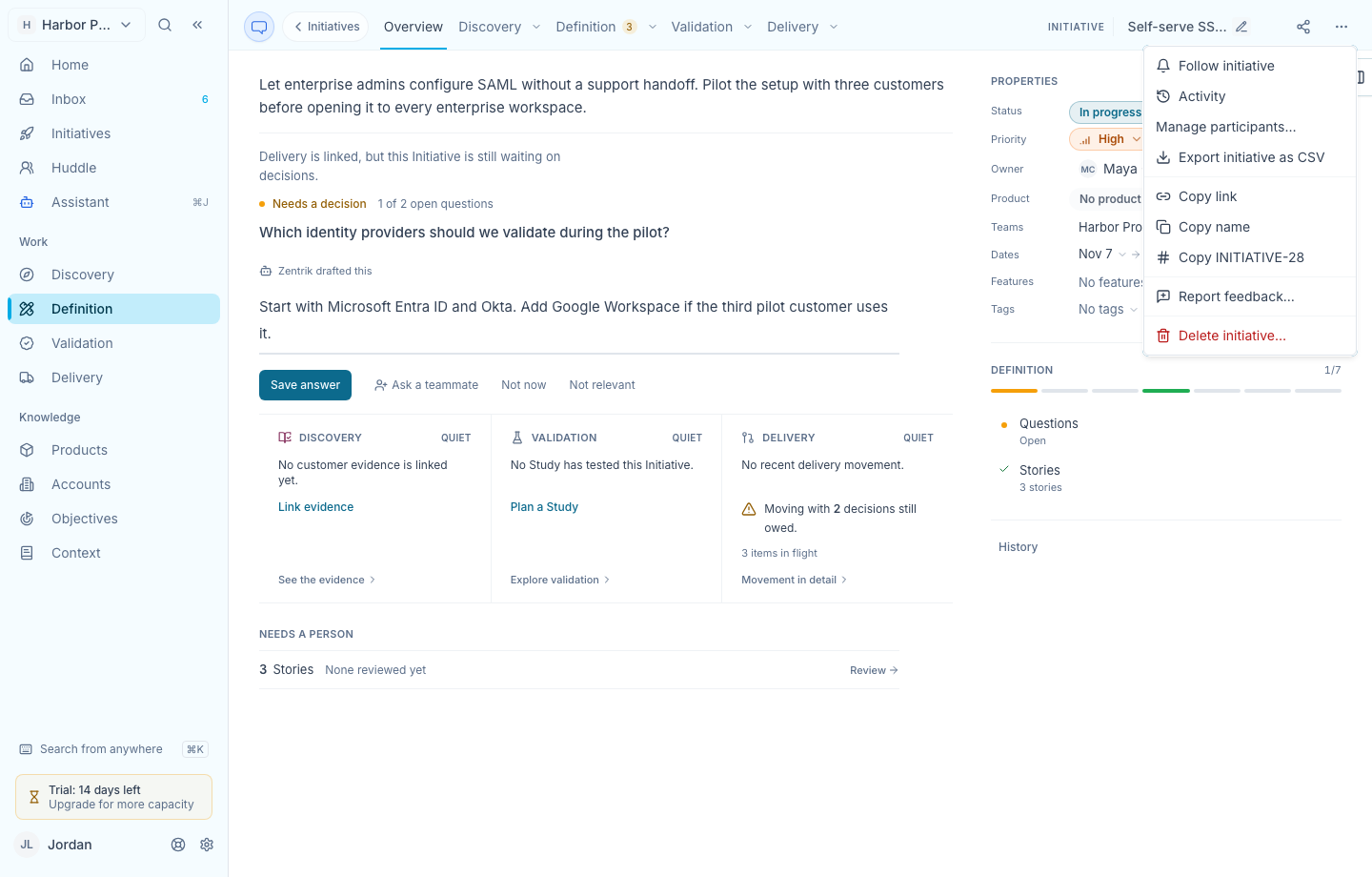
The action menu on a sample initiative. View the full-size menu screenshot.
Find the new question in your Inbox
After you follow a record, look under Came back on your work in Inbox for new questions teammates add in the app and leave unassigned. If your Inbox is already open, use Refresh in the top right.
Questions assigned directly to you appear under Waiting on you. Updates from following stay in the app for up to 14 days and clear sooner if the question is assigned, set aside, or resolved.
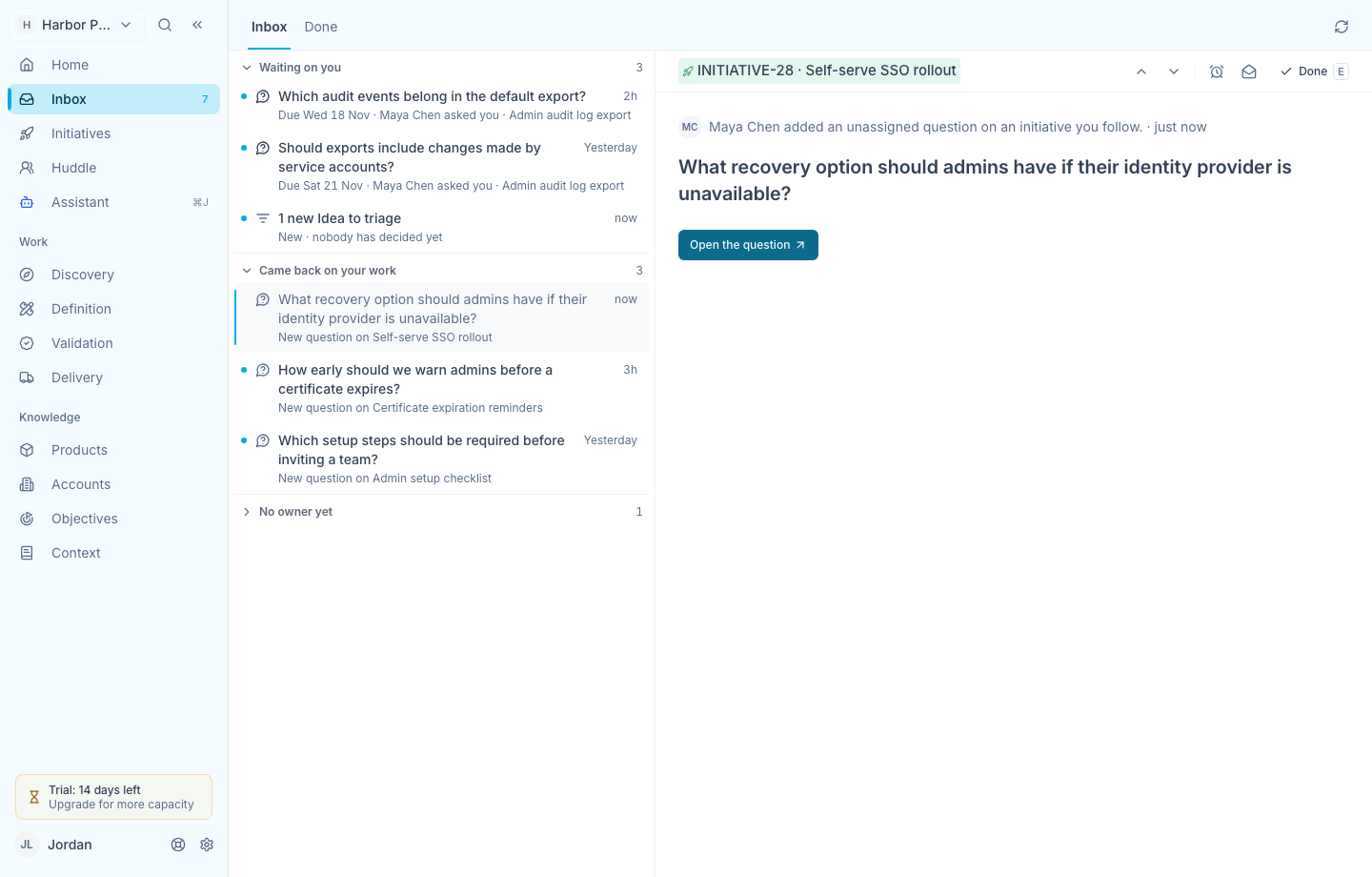
The detail pane names the teammate who added the question and explains why it reached your Inbox. View the full-size Inbox screenshot.
Open the question
- Select the Inbox item to see who added it and which record it belongs to.
- Select Open the question. The record’s Questions page opens with that question selected.
If you have edit access, you can answer the question there. Mark the Inbox item Done to clear it from your Inbox.
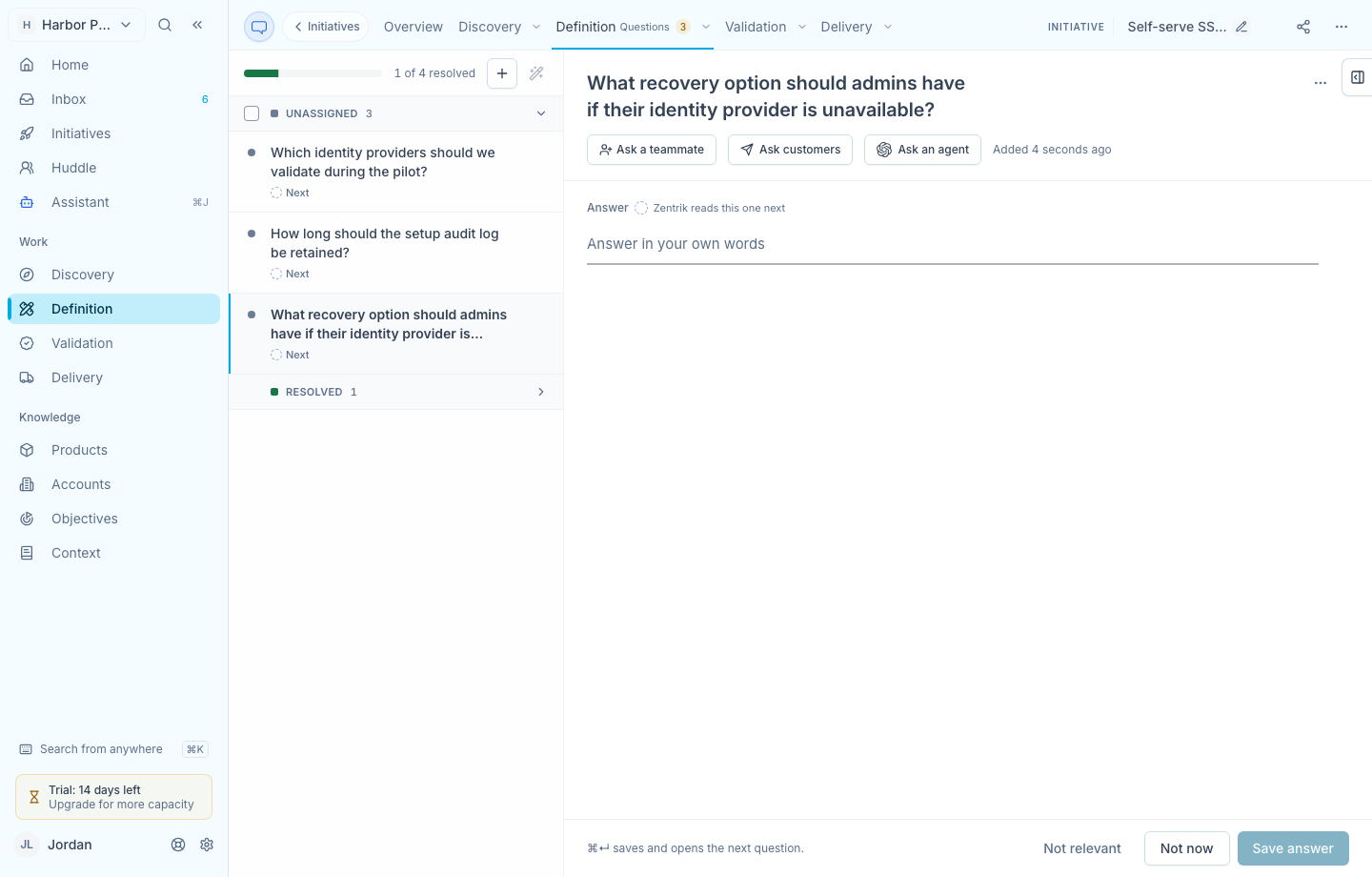
The Questions page opens at the question from your Inbox. View the full-size Questions screenshot.
Unfollow a record
Open the record’s ⋯ menu again and select Unfollow idea or Unfollow initiative. This stops future updates from following and clears existing follow updates for that record from your Inbox.
Continue from here
Related guides
Did this guide answer your question?
Your response helps us prioritize missing or unclear documentation.
Still stuck?
Send your question to Zentrik support. This guide will be included automatically.