Check the evidence behind a study, review its findings, and record what your team decided.
Review the evidence
- Open the study’s Responses or Interviews and read the source answers or transcripts. Check participant and account context where available.
- For heatmaps and fixed questions, inspect the response summary, clicks, target-area results, and answer distributions.
- Open the study’s Findings view and generate or write the report. Check each claim against the cited source and note unanswered questions.
Identified responses keep the participant and account context recorded at the time. Later directory changes do not rewrite that history.
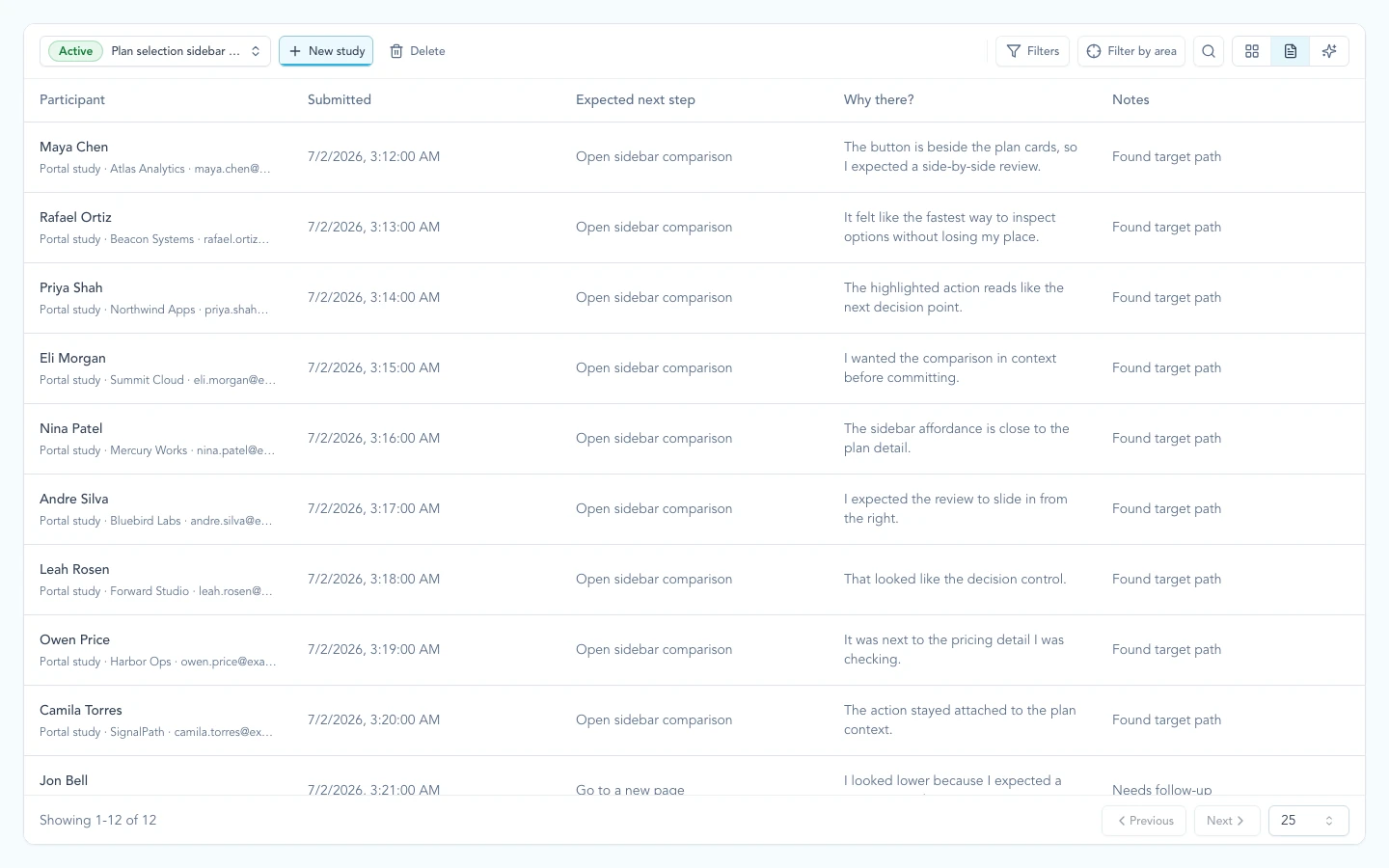
Study responses stay tied to participant, account, and answer context so the decision can move forward with traceable evidence.
Record product impact
Study evidence cannot prove that the team changed direction. On an initiative, use Record impact to state what the product team actually decided:
- confirmed the current direction
- changed scope or direction
- raised a risk
- decided that no change was needed
- needs a follow-up study before deciding
The initiative learning summary uses these human records for product impact. If none exists, Zentrik says No direction change has been recorded rather than inferring a pivot from responses or generated conclusions.
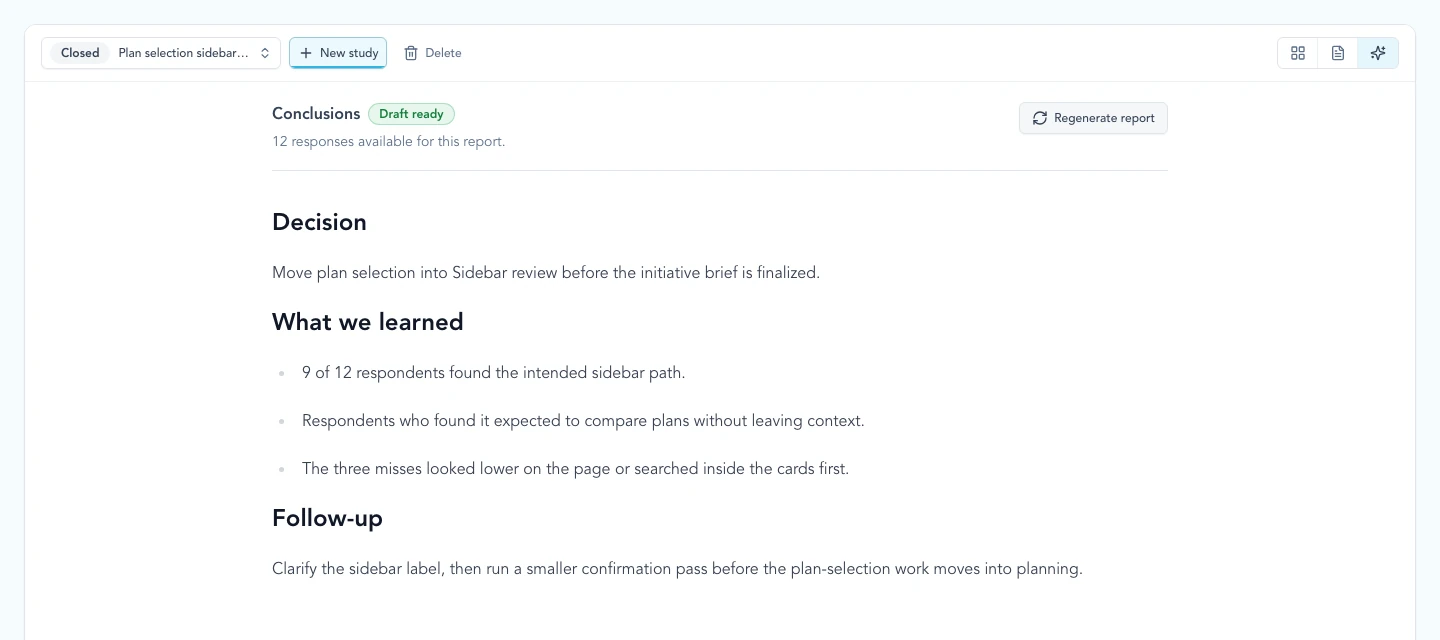
Review the study’s findings, then record the decision on the initiative.
Plan the next question
On an idea’s Studies tab, Current read combines reviewed findings from related studies. Select the finding count to inspect the sources. Next question identifies a gap to investigate.
When New evidence appears, refresh the read. The last confirmed read remains visible until the refresh succeeds.
Use Plan a Study to prepare a follow-up proposal. Create draft opens an unpublished study for editing; it does not publish or invite participants.
Continue from here
Related guides
Did this guide answer your question?
Your response helps us prioritize missing or unclear documentation.
Still stuck?
Send your question to Zentrik support. This guide will be included automatically.