v1.75.1Zentrik platform
Read imported files and plan a release
Context shows the structure of imported files. Delivery lets a team gather work for a release before anyone creates its GitHub tag.
What changed
- Open an imported CSV, YAML or Markdown file in Context.
- Choose New release in Delivery → Shipping → Releases.
Read the file in its own format
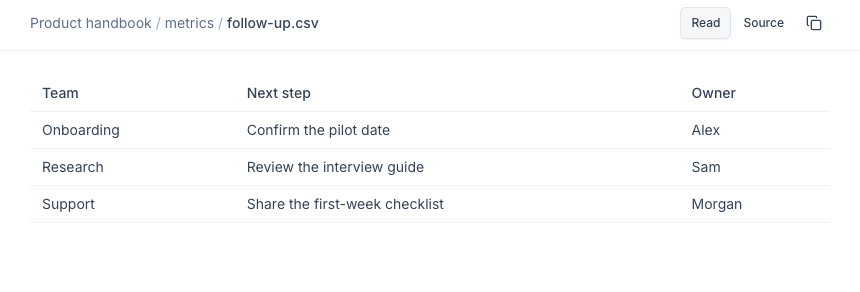
Open an imported CSV to read its rows and columns. YAML and JSON show nested properties, and Markdown keeps front matter separate from the prose. Select Source to inspect or copy the loaded text.
Plan a release before the tag exists
Choose New release in Delivery → Shipping → Releases. Give it a name, add ideas and initiatives, and draft the notes. When GitHub records a release with a matching name, it joins the plan. A target date is optional. Owners, admins and editors can change plans. Other members can read them.
More in this release
More in this release
- Goals retain milestones beyond the fourth, and team members can check them off from the goal list.