Switch Zendesk to OAuth and review source imports
Admins can switch an existing Zendesk connection to OAuth and keep its import schedule. Discovery can preview Azure Boards queries and ServiceNow records.
What changed
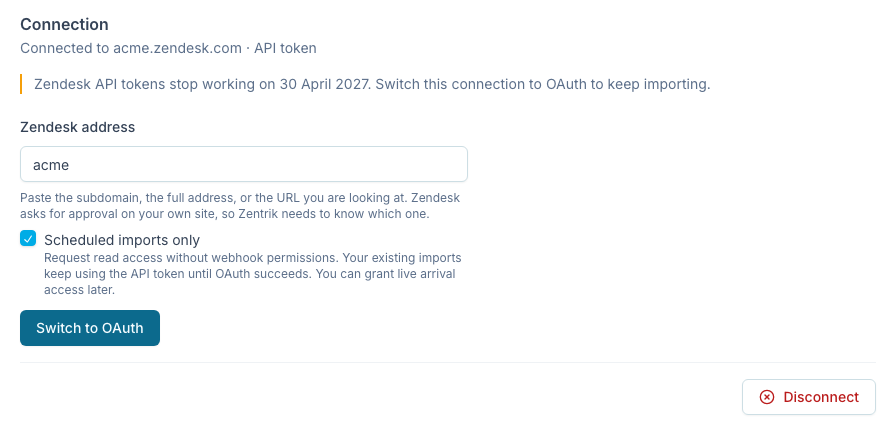
- Open Connection and choose Switch to OAuth.
- Preview a flat query or assignment group before importing.
Keep the existing Zendesk import
Open your Zendesk connection and choose Switch to OAuth. The existing token keeps working until authorization succeeds, and your saved filters and schedule carry over. Choose Scheduled imports only if you do not need live arrival. New connections use OAuth.
Review a query or assignment group
Preview a flat Azure Boards query to import its work items as Ideas, or a ServiceNow assignment group to import incidents and cases as Signals. The ServiceNow import excludes caller details, comments and work notes. Repeating an import matches the original record.
HubSpot connection scope
HubSpot connections keep their existing CRM permissions. This release does not enable ticket import or ticket replies.
More in this release
More in this release
- Figma imports keep their read-only preview and source link. Writing backlinks to Figma remains unavailable by default.