Choose the tabs, widgets, and layout your team uses during its Huddle.
Team admins and editors can change the shared tabs and layout. Viewers use the saved layout. Select the correct team before editing.
Organize your Huddle into tabs
Tabs sit along the bottom of the Huddle. Each tab has its own widgets, sizes, positions, and view settings. Start with Overview, then create a view for a recurring discussion such as Customers or Delivery.
- Create: select + to add and open an empty tab, then select Add widgets.
- Rename: double-click a tab name, or focus it and press F2. Use up to 40 characters.
- Reorder: drag tab names into meeting order. With the keyboard, use Alt + Left/Right to move the focused tab. Arrow keys alone switch tabs.
- Remove: select × on the selected tab and confirm Delete tab. The final remaining tab cannot be removed.
A widget type can appear once on each tab and on several different tabs. For example, keep Pending actions on both a customer review tab and a delivery tab: both show the same team actions.
Tabs, their order, layouts, and widget settings are saved for the team and shared across teammates and devices. Team admins and editors can change them; viewers can use the saved tabs. Only your selected tab stays personal to this browser. On touchscreens, hold a tab briefly to drag it, or swipe to scroll the strip.

The selected tab has an × control. + creates an empty tab. Names and order are yours to choose.
Add widgets from the catalog
Select Add widgets. Shown means the widget is already on this tab; Hidden means you can add it. Choose a widget to place it in the first available space and bring it into view. If it cannot fit, resize the existing widgets or use another tab.
A useful starting layout is Goals, Customer evidence, Delivery, and Pending actions. Add Focus for the team’s immediate checklist. A separate customer review tab can hold Accounts Evidence and Direction.
Connected Jira and Linear widgets appear in provider sections of the catalog. Their setup is described below.
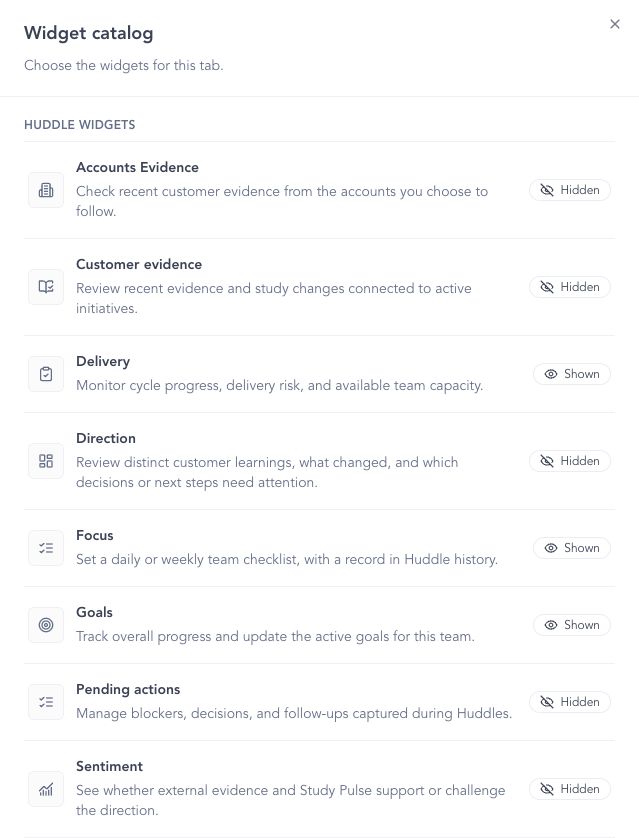
Choose widgets for the active tab. Connected Jira and Linear widgets appear in provider sections below this list.
Arrange and resize widgets
- Select Customize, then select a widget.
- Use its move handle to reposition it. Drag an edge or corner to resize it.
- Use the settings control to open Configure for widgets with options. The × removes the widget from this tab.
- Keep every visible widget inside the grid without overlaps, then select Save layout. Cancel discards the layout edits.
Save or cancel before switching or adding tabs. Reset layout affects only the active tab: Overview returns to the workspace default, while an added tab becomes empty. Team tabs can remain empty.
On narrow screens, visible widgets stack in a readable column. Tabs and the catalog remain available; use a wider screen for manual positioning and resizing.
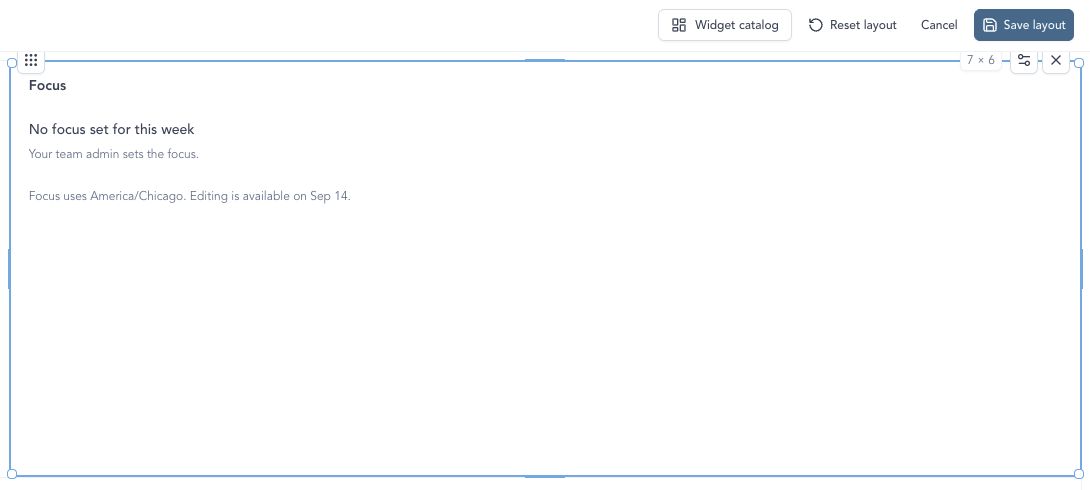
Customize exposes the widget controls. Drag an edge or corner to resize, then select Save layout.
Set preparation and workspace defaults
In Settings → Huddle, authorized users can manage:
- Schedule: use Manual preparation when someone opens or refreshes Huddle, or Automatic preparation ahead of the meeting. Choose the cadence, time, timezone, and whether to skip weekends for the selected team.
- Default Layout: arrange the workspace starting layout. It must contain at least one widget and have no overlaps.
Each team shares its own tabs and customization. The workspace default supplies the starting layout for Overview; resetting Overview restores that default. Focus cadence is also shared by the team. Direction acknowledgments remain personal.
If this browser has an older layout and the team has no saved customization, an editor can select Use this browser’s layout for the team to share its tabs and settings.
See Teams and team access if you need to check membership or edit permissions.
Troubleshooting
A widget is missing
Open the catalog on the correct tab and check whether the widget is already Shown. Check the workspace connection for provider widgets. If space is the problem, resize widgets or add a tab.
I cannot save the layout or switch tabs
Keep every visible widget inside the grid and clear overlaps. Select Save layout or Cancel before switching or adding tabs. Use a wider screen for manual positioning and resizing.
My layout is different on another device
Check that both devices have the same team selected, then reload Huddle. Tabs, layouts, and widget settings are shared by the team. If a teammate saved changes while you were editing, select Reload team customization before making your changes again.
Continue from here
Related guides
Did this guide answer your question?
Your response helps us prioritize missing or unclear documentation.
Still stuck?
Send your question to Zentrik support. This guide will be included automatically.