Find who gave feedback, which conversations or studies they joined, and which customer account they belong to.
A Person is an individual customer, prospect, or research participant. An Account is the customer organization or entity. A Person can remain unassigned when their Account is unknown. A persona describes a type of user, not an individual.
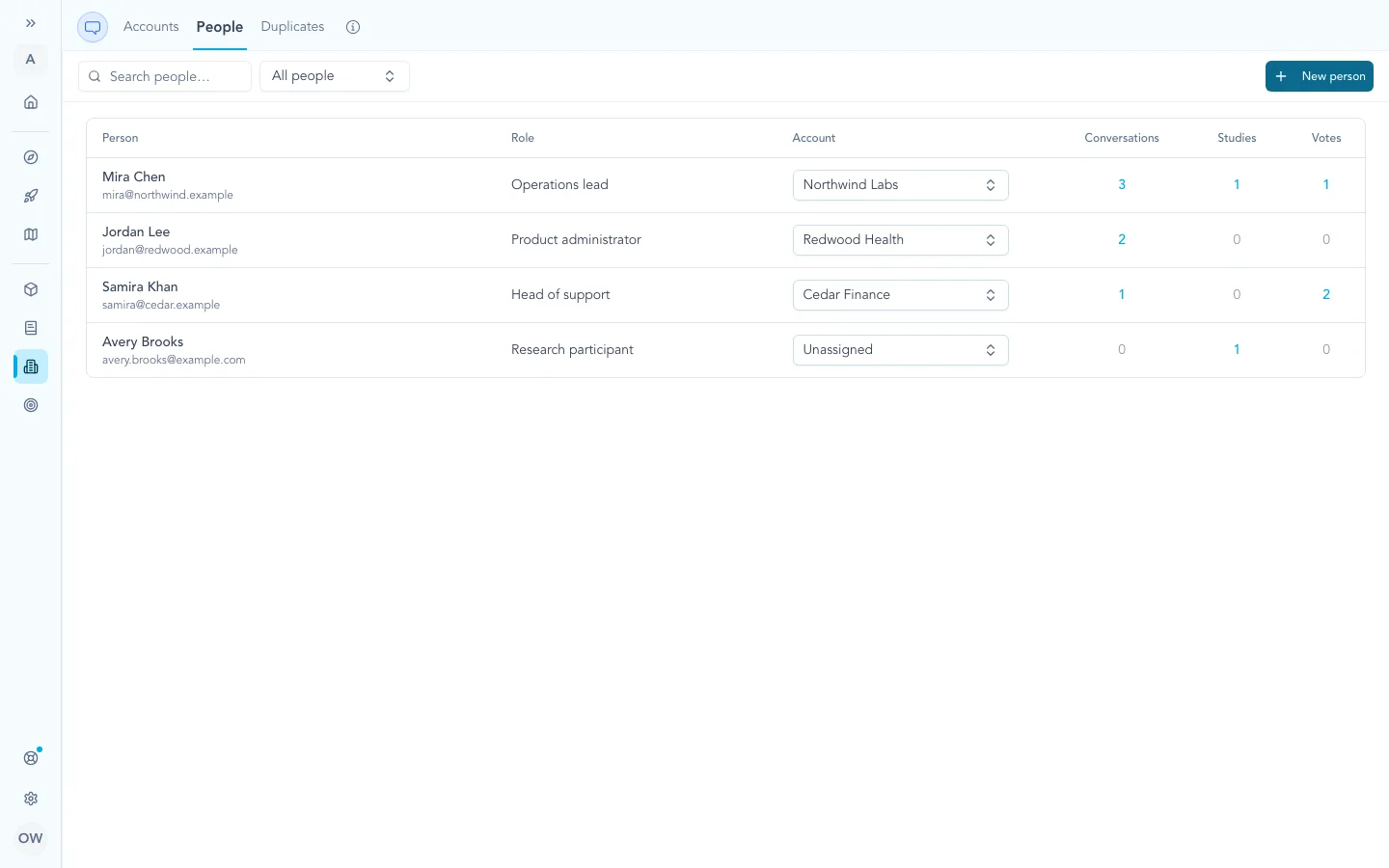
One People directory keeps each known customer connected to their current Account and to activity from conversations, Studies, and votes.
One Person across Zentrik
Zentrik reuses a Person when one exact email match exists in the workspace. Conversation, study, and portal activity can connect to that record. Portal login and vote ownership remain separate, so a directory correction does not reassign historical votes.
How People appear
Creation is intentional. A name, meeting title, or uncertain match is never enough by itself.
Conversation imports
Supported conversation imports offer Save customer attendees as People. When it is on, Zentrik matches or creates attendees that the provider can reliably identify as external. Internal and uncertain attendees do not become new People.
Create missing Accounts from company domains is a separate choice. Leave it off to create useful unassigned People without expanding the Account list. Turn it on only when a professional email domain is enough evidence to create that Account.
The import receipt shows how many People were linked, created, assigned, or left unassigned. Open People when an ambiguous result needs correction. Zoom currently imports transcript evidence without organizing participants because its available payload does not identify and classify attendees reliably enough.
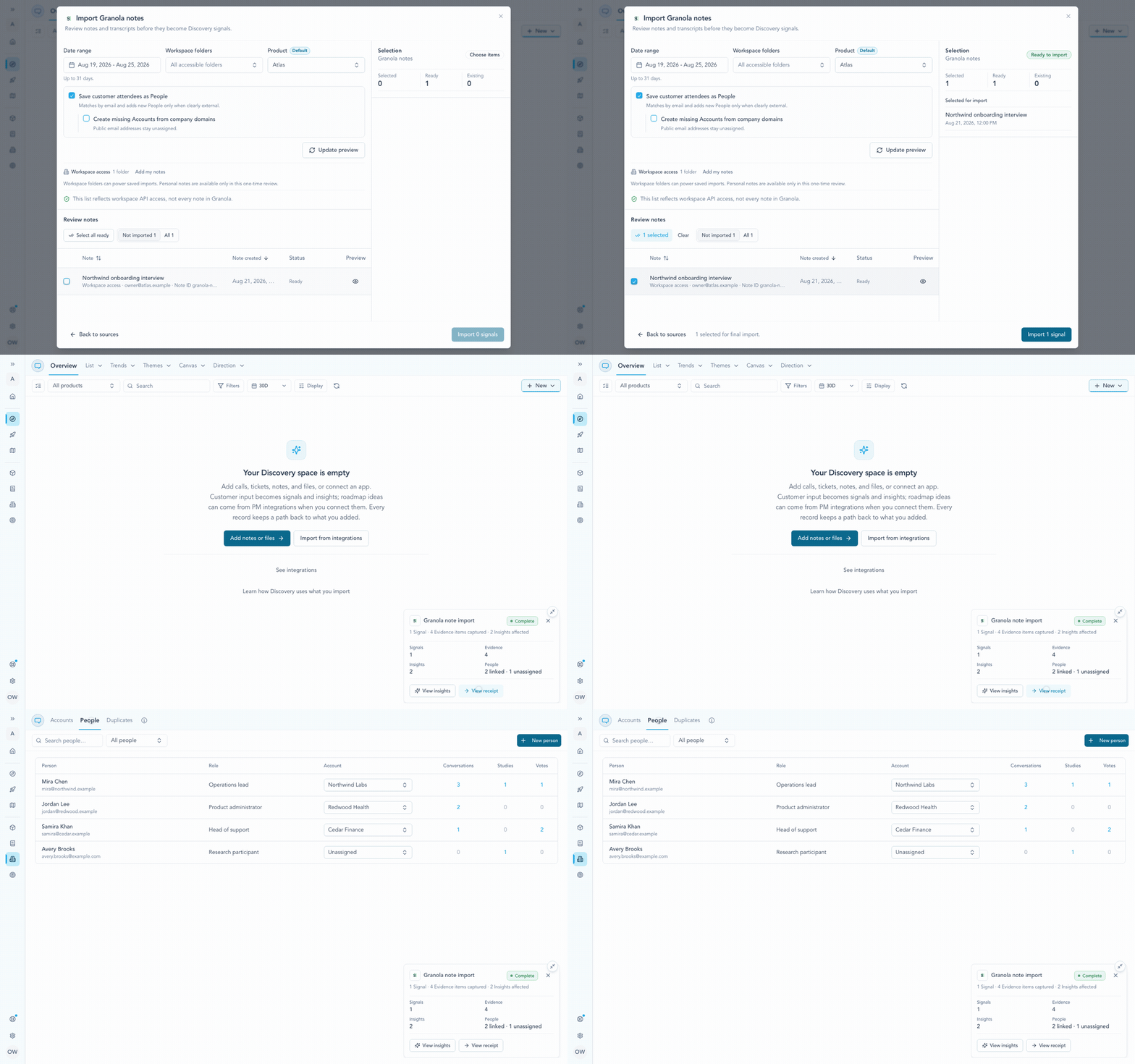
Import a selected customer conversation, review its People outcome, then continue with the same person in the workspace directory.
Studies
Selecting an existing Person for a Study reuses that record. Entering a new email creates or reuses a Person only when you confirm the planned participant; simply typing does not change the directory.
The Study keeps the participant and Account context from that invitation or response. Later edits to the Person do not rewrite the historical cohort. Anonymous responses create no Person.
Ideas Portal
Portal login, requests, and votes can connect to one exact existing Person by email. Passive portal activity does not create People, so a broad portal audience cannot flood the directory.
Portal access and vote ownership remain on the portal identity even when it is linked to a Person. Correcting a Person or Account therefore does not erase or reassign historical votes.
Account matching
Zentrik keeps an existing Person's Account. For a new or unassigned Person, it first uses an Account you selected, then one unambiguous existing Account with the same professional email domain.
Public email domains never match or create Accounts. If several Accounts share a domain or the evidence conflicts, Zentrik leaves the Person unassigned instead of guessing. One conversation can still link to several Accounts when several external attendees resolve cleanly.
Unlinked sources
Open Accounts → Unlinked sources when an imported customer identity has no Account match. The queue shows the source identity, affected record count, and any suggested Account.
- Choose an existing Account or create one from the source’s name and domain.
- Review how many past and future records the link affects, then apply it.
- Ignore a source that needs no Account. You can restore it later.
If the source matches two Accounts, resolve the duplicate before linking.
Review and correct People
Open Accounts → People and search by name, email, role, or Account. Use Unassigned to find People without an Account. Assign, move, or unassign them here or in an Account’s People view; both edit the same record. Later domain observations do not override your saved assignment.
Use the Panels menu to keep lists of People your team invites to studies, such as a research community. See choose who a study is for.
Troubleshooting
An attendee did not become a Person
Confirm that attendee organization was enabled and that the source supplied a valid email plus reliable external affiliation. Internal, unknown, email-less, and ambiguous attendees are intentionally skipped. The Signal still keeps the source conversation.
A Person has no Account
This is valid. Assign the Person from Accounts → People when you know the Account. Public domains, duplicate Account domains, and disabled Account creation all leave People unassigned by design.
The same email appears more than once
Zentrik does not guess between duplicate historical records. Correct or consolidate the records before retrying the import or portal link.
Continue from here
Related guides
Did this guide answer your question?
Your response helps us prioritize missing or unclear documentation.
Still stuck?
Send your question to Zentrik support. This guide will be included automatically.