Lead a customer conversation with a shared guide, attach the transcript, and review the findings.
A live interview is a conversation led by your team. Zentrik organizes the guide, planned interviews, imported transcripts, and findings.
Prepare and run interviews
- Open Studies → New → Live Interview, or choose the method from an idea or initiative’s Studies workspace.
- Choose Draft with AI to prepare a guide from your goal, or Start blank to write it yourself.
- In Guide, complete the learning question, audience, opening, topics, and closing note. You can attach existing transcripts while drafting through Overview → Add completed interview.
- Start the study. In Interviews → Add interview, plan a conversation or attach one or more completed transcript Signals.
- For a planned interview, choose the account and optional participant details. When the transcript arrives, attach it to that interview.
A Signal is the original source record, such as an imported transcript. Planning an interview does not create a Signal. Import transcripts from Fireflies, Granola, another supported conversation source, or a manual upload before attaching them.
For a single transcript, confirm the participant and account. A batch keeps the accounts already associated with each Signal. Interviews also lets you open source transcripts and resolve processing issues.
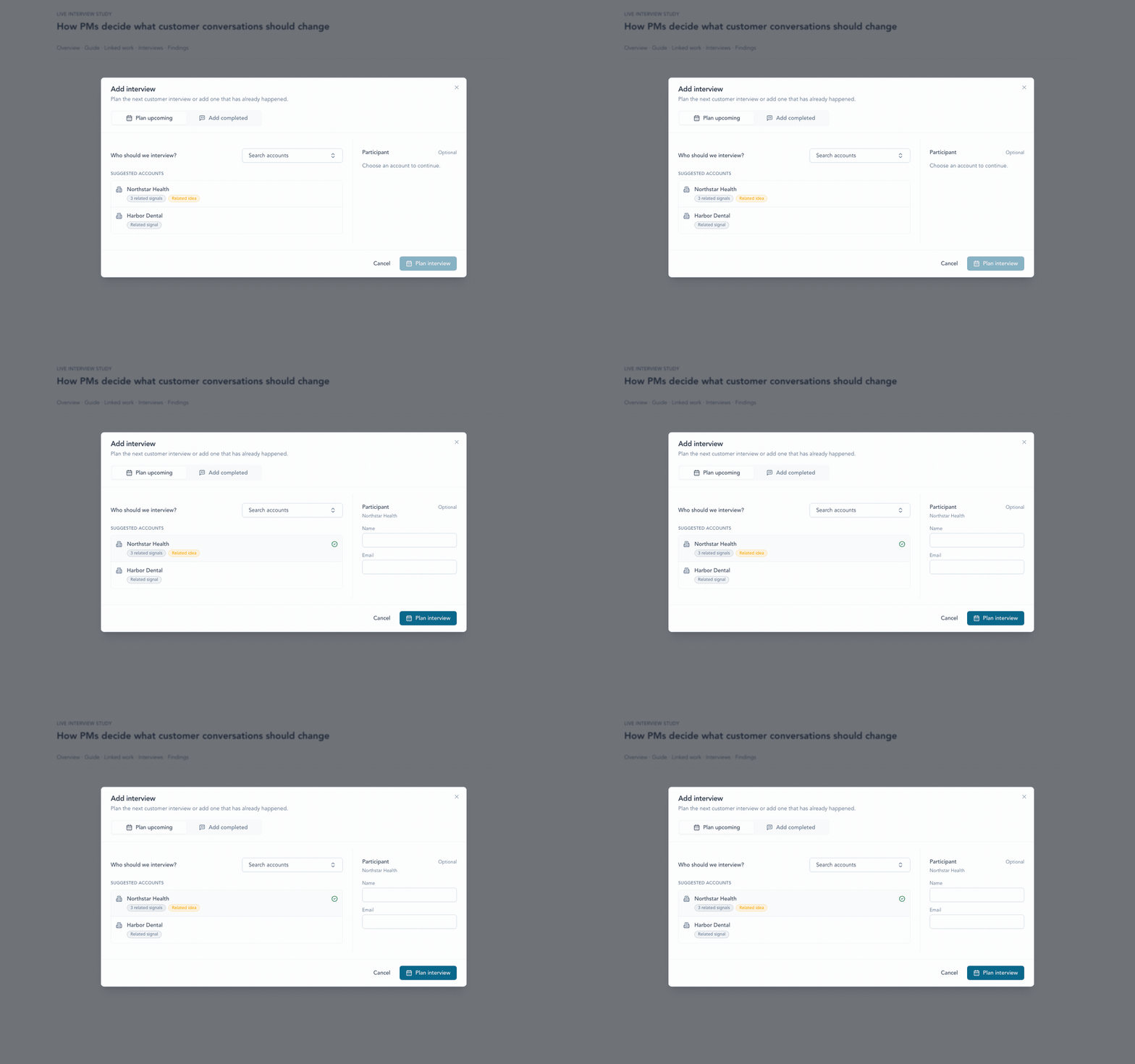
Plan the next conversation from a suggested Account, add participant details only when useful, and keep the unique Pulse link ready for the call.
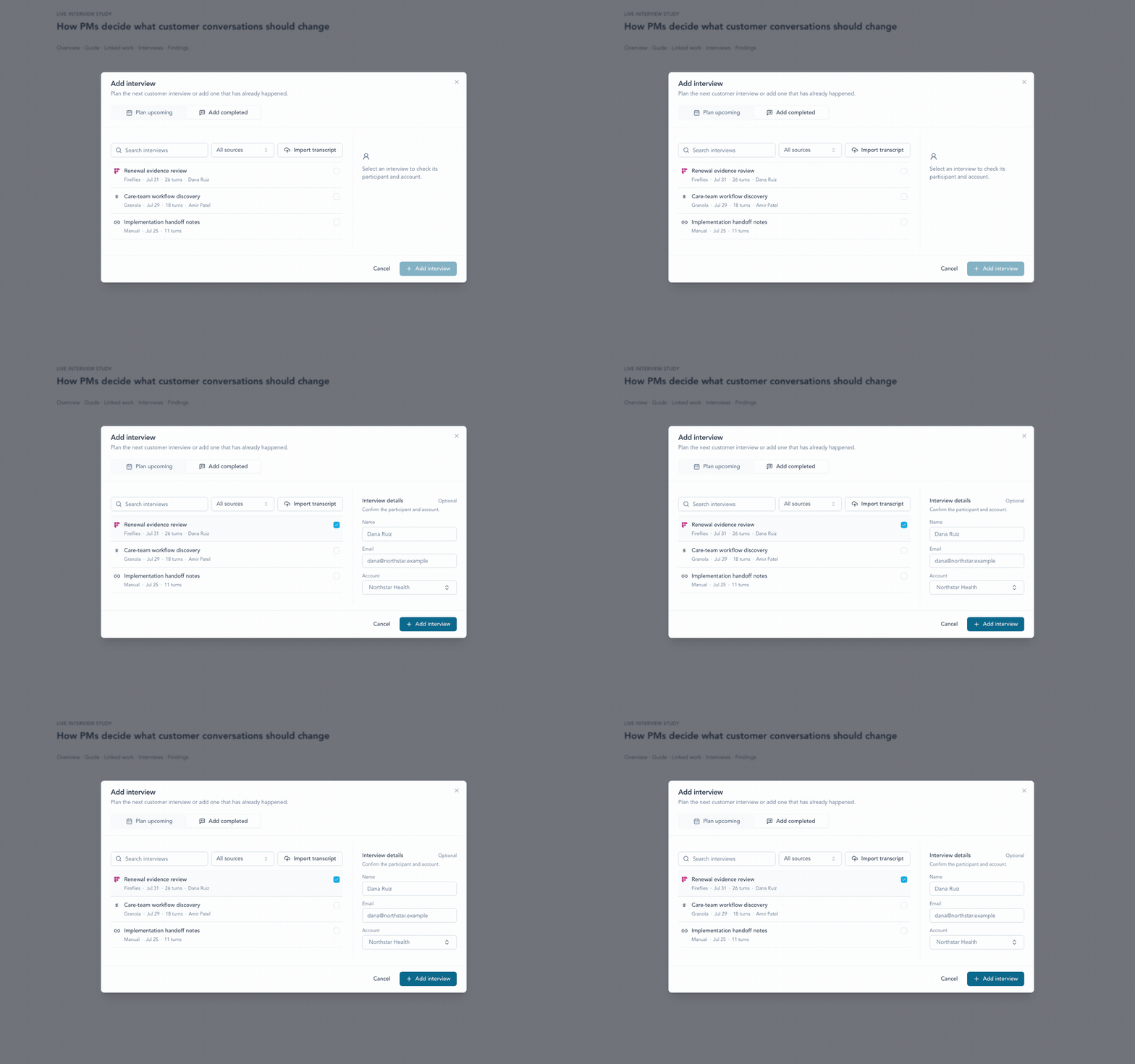
Add a completed transcript from any supported source, then confirm the participant and Account before it joins the Study.
Collect a closing rating
Copy Pulse (for planned interviews) or Copy unique Pulse link (in interview actions) creates a single-person link by default. The recipient chooses a rating and can leave a comment, without entering a name or email. The link accepts one response and keeps it if opened or submitted again.
For a group interview, choose Copy group Pulse link in the interview actions menu and share it with every attendee. Each person enters their name and email, then submits a rating and an optional comment. Group Pulse accepts one response per email; submitting again keeps the earlier response. Neither link type requires sign-in or shows anyone else's answers.
You can change the link type before feedback arrives. Changing it replaces the previous URL, so share the newly copied link. Once a response is received, the link type stays fixed. Existing Pulse links keep their single-person behavior.
Use Refresh to load new responses, then expand the Pulse response count on an interview to review individual ratings and comments. Participant ratings are counted separately from interviews. Feedback collected without a name stays an interview response without an attributed author.
Review coverage and findings
Open Guide to refine the discussion structure. Guide revisions show which version informed each interview.
Open Findings to review themes, contradictions, gaps, and cited transcript turns. Then record the team’s decision. Planning interviews and copying Pulse links require an active study; completed transcripts can be attached while it is still a draft.
Continue from here
Related guides
Did this guide answer your question?
Your response helps us prioritize missing or unclear documentation.
Still stuck?
Send your question to Zentrik support. This guide will be included automatically.