v1.76.0Zentrik platform
What shipped for an account
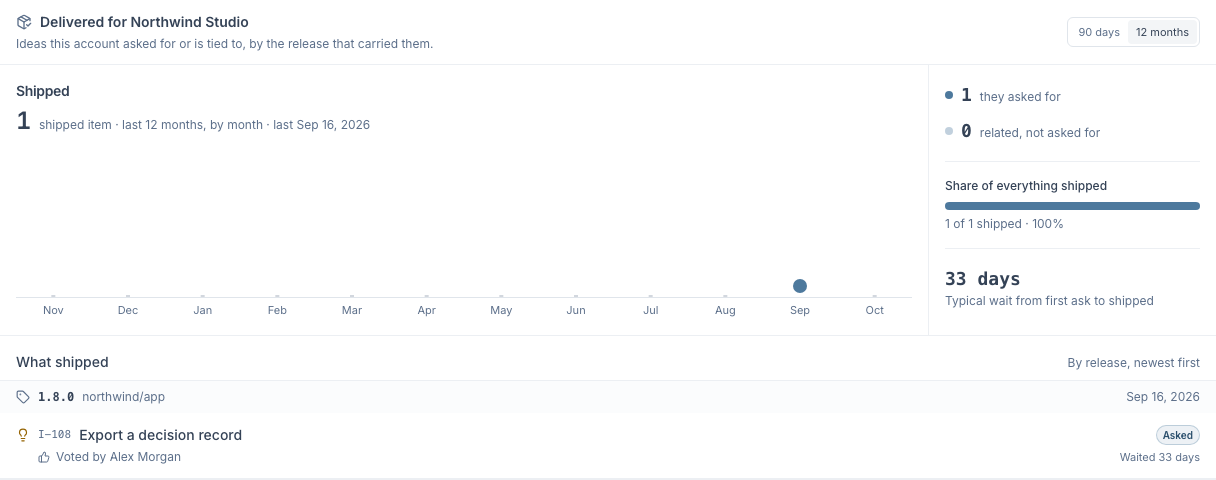
The Delivered tab connects an account’s requests with shipped ideas. Product questions can also retain the audience and measure from a saved PostHog trend.
What changed
- Open an account and select Delivered.
- Paste a saved trend link into Product question.
Trace a request to its release
Open Delivered on an account. Compare ideas the account asked for with ideas linked through related feedback, then open a release to see what shipped. Votes, submissions and direct links count as asks. Links through insights or opportunities count as related. Shipped ideas without a recorded date are listed outside the time window.
Reuse a saved measurement
Paste a saved trend link from your connected PostHog project into Product question. Preview the event, filters and audience before saving. Supported trends have one event series and count events or unique users. If the definition changes, preview it again.
More in this release
More in this release
- Ask the Assistant about a saved idea question to review its evidence, including customer wording or a measurement recorded in its reasoning.