Review reported content, take a supported moderation action and check the participant-visible result.
Before you start
You need administration for the complete audience of the reported content. Open Moderation in portal administration. A group grant does not give authority over unrelated groups, even if you originally wrote a post.
Members can report content through its report control. Reports are a request for review; they do not by themselves establish that the post or reply violates your community’s expectations.
Review the report and its context
- Open a report in the moderation queue.
- Read the reported post or reply and enough of its surrounding conversation to understand it.
- Check the audience and current visibility. Distinguish a member’s request for removal from content that an administrator already hid.
- Use the supported moderation controls to record the decision and any reason requested by the form.
- Check whether the report remains open or has been resolved.
Choose the smallest action that addresses the problem. Closing replies controls further responses; hiding content changes visibility. These actions do not mean the same thing. Use the action names displayed for that post or reply rather than assuming every item offers identical recovery controls.
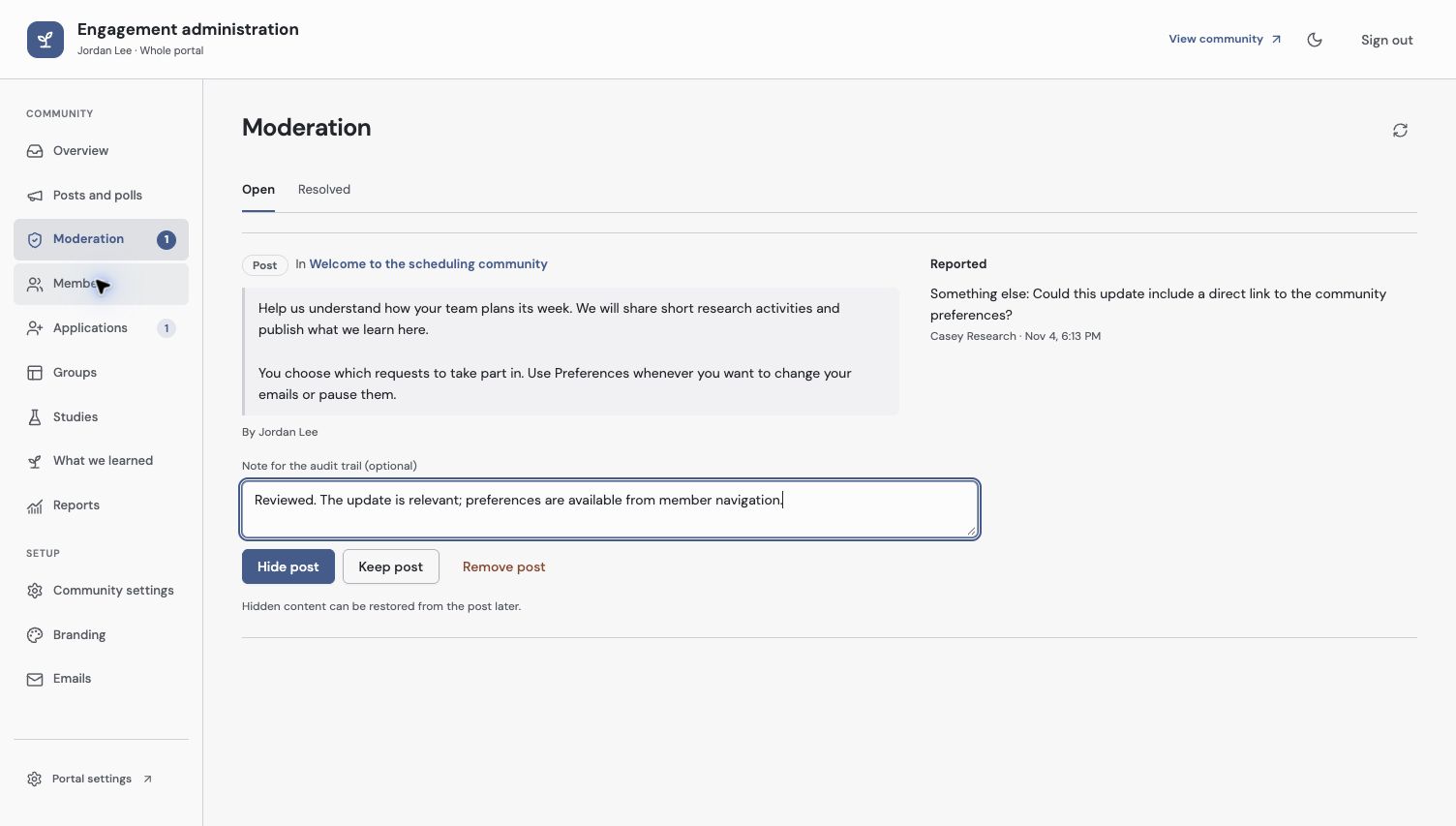
Read the report and surrounding content before choosing an action. Hiding a post and keeping it are different moderation decisions.
Check visibility and retained history
Open the relevant member view after a visibility change. Confirm that inappropriate content is no longer visible where intended, while unrelated contributions remain available. If correcting a mistaken action, use an offered restore action and check the result again.
Administrative history and revisions can remain after content is hidden or a member leaves. Hiding something in the community is not a promise to erase its previous contribution history. If feedback was separately captured as Evidence, review that capture’s source state as well; moderation is not an automatic rewrite of the captured record.
Changes to your grants take effect on current operations. If you lose access while reviewing, stop working from the old page and ask the responsible whole-portal administrator to continue.
Check the result
Confirm the queue shows the intended report state and the member page shows the intended content/reply behavior. Keep moderation reasons clear enough that another authorized administrator can understand the decision later.
For ongoing prevention, review post and discussion settings. For source changes after a research capture, use Bring community feedback into Discovery.
Troubleshooting
The reported item is unavailable
It may have been hidden, removed or moved outside your current permission scope. Refresh the report and ask a whole-portal administrator to check if necessary.
I can read a post but cannot moderate it
Reading and administration are separate. Moderation needs current authority for the complete audience, including every group on a shared post.
Continue from here
Related guides
Did this guide answer your question?
Your response helps us prioritize missing or unclear documentation.
Still stuck?
Send your question to Zentrik support. This guide will be included automatically.