Let Zentrik ask follow-up questions about a topic, image, or prototype. Review the plan before inviting participants.
Prepare and publish
- Create a study and choose AI-guided interview. Start in Studies, or from an idea or initiative’s Studies workspace.
- Define the audience, learning question, and decision. Add the topics and any images or videos in Steps.
- Review the generated interview plan, approximate duration, and missing inputs. Steps is the authored plan; the participant link opens the actual interview.
- Preview the study. Resolve missing audience, decision, learning question, or required assets before publishing.
- Published content is locked to keep responses comparable. When ready, publish and copy the participant link. Participant access must be configured for your workspace.
Most plans last two to fifteen minutes, depending on the topics. The interviewer works within your objective and topics. Use a self-guided study when you need fixed wording or answer choices.
For a clickable flow, follow Test a prototype.
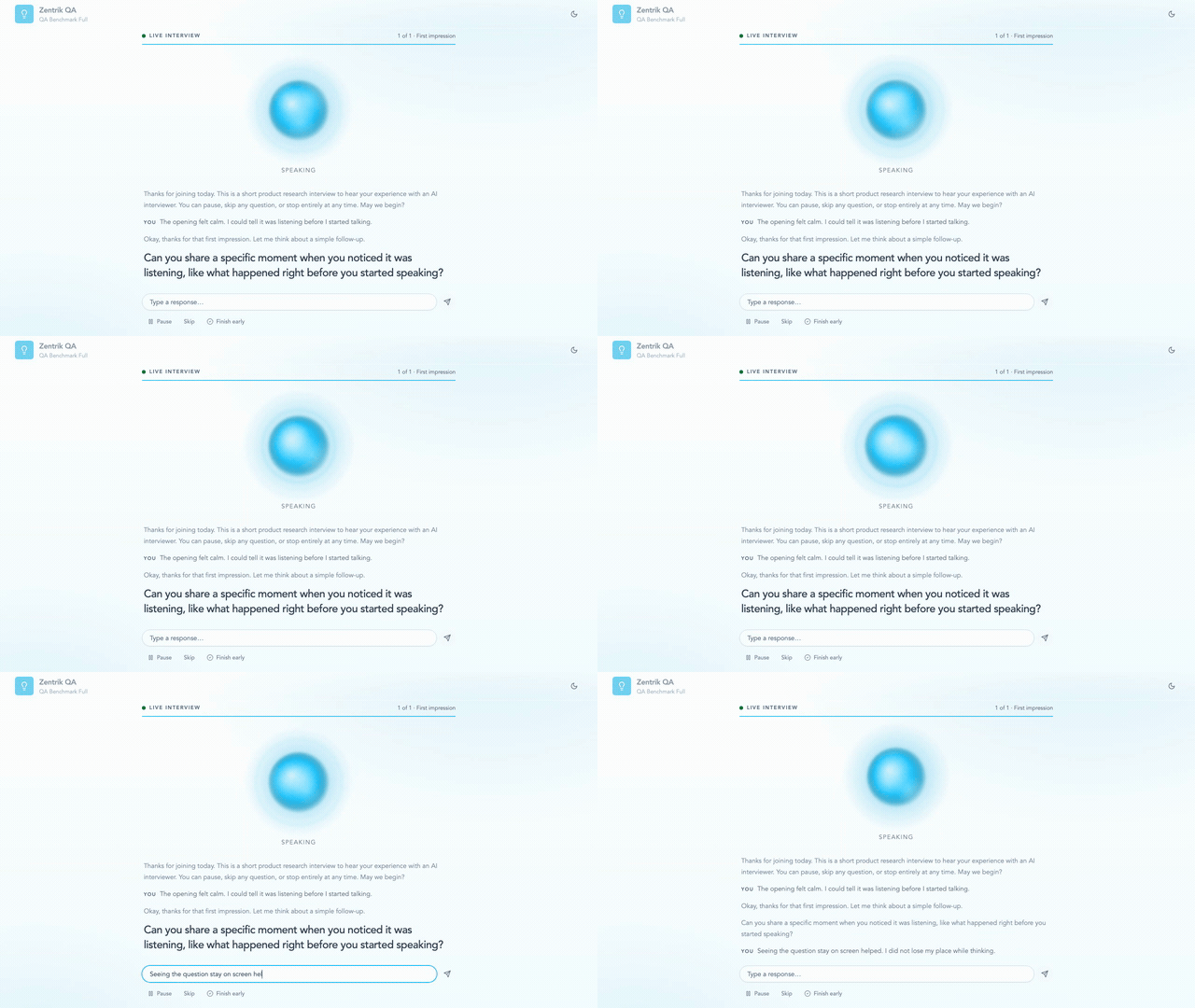
Participants can speak or type, skip a topic, and review their transcript before submitting.
What participants do
Participants read the disclosure, then choose Use microphone or Type instead. They can interrupt, pause audio, mute, type, skip a topic, or finish early. Images or videos attached to a topic can appear during the conversation.
A prototype or shared image stays beside the conversation. On a phone, Explore and Conversation switch between them without losing prototype state or a draft answer. Reduced-motion preferences are respected.
Before submitting, participants review the transcript, return to the interview, or add a correction. Skipped topics remain marked as skipped. An optional closing rating stays separate from the interview answers.
Review the response
Open Responses to inspect the transcript, topic coverage, and assets shown. A response is saved before its findings are prepared, so findings may appear shortly afterward.
Generate or refresh Findings, then check the cited participant turns or structured activity behind each claim. Findings remain a draft until your team reviews them. See Review study findings.
Troubleshooting
A response has no findings yet
The response is saved first and its interview findings are prepared straight after. A response that arrives without findings usually has them a short time later, so reopen it before concluding that the interview produced nothing. When findings cannot be prepared at all, the response says so and the transcript and activity answers stay complete.
The AI interviewer loses its connection
The participant's saved transcript remains safe. Use Reconnect to continue the same session, or choose Finish early to review and submit what was already captured. If the connection fails repeatedly, keep the study link and session details for the study owner so they can verify the study and service status before inviting more participants.
Continue from here
Related guides
Did this guide answer your question?
Your response helps us prioritize missing or unclear documentation.
Still stuck?
Send your question to Zentrik support. This guide will be included automatically.