Reuse Panels as community groups and keep audience changes separate from invitation and consent.
Before you start
A Panel is a reusable group of People in Zentrik. Engagement exposes selected Panels as community groups. Creating a Panel or adding a Person does not enroll them, accept participation terms or send an invitation.
Workspace administrators choose which Panels are shown in the selected portal. Portal or group administrators then manage the community within their grants.
For an internal colleague, choose which role they need: grant their Zentrik workspace user administration access, or add their Person to the Panel and invite them to participate. They can hold both roles, but each needs its own access. An active workspace member can use Zentrik for both sign-ins. A staff grant does not add their Person to a group or accept an invitation, and native Zentrik member sign-in grants no staff authority.
Create or show a group
- Open Settings → Portal → Engagement, select the portal and choose Groups.
- If needed, select Manage panels to create or manage the Panel in the People surface. Review its name and People before returning. The Study audience guide explains reusable Panels.
- Turn on Show [group] in portal for the intended Panel. This saves immediately.
- Open portal administration and select Groups. Open the group to review its overview, people, content, research and settings.
- Set its purpose and member-started discussion setting. Choose an accountable owner from eligible staff when appropriate.
Member-started discussions can be controlled separately for the shared home and individual groups. Replies to existing conversations are a separate control; disabling new discussions does not mean every reply is closed.
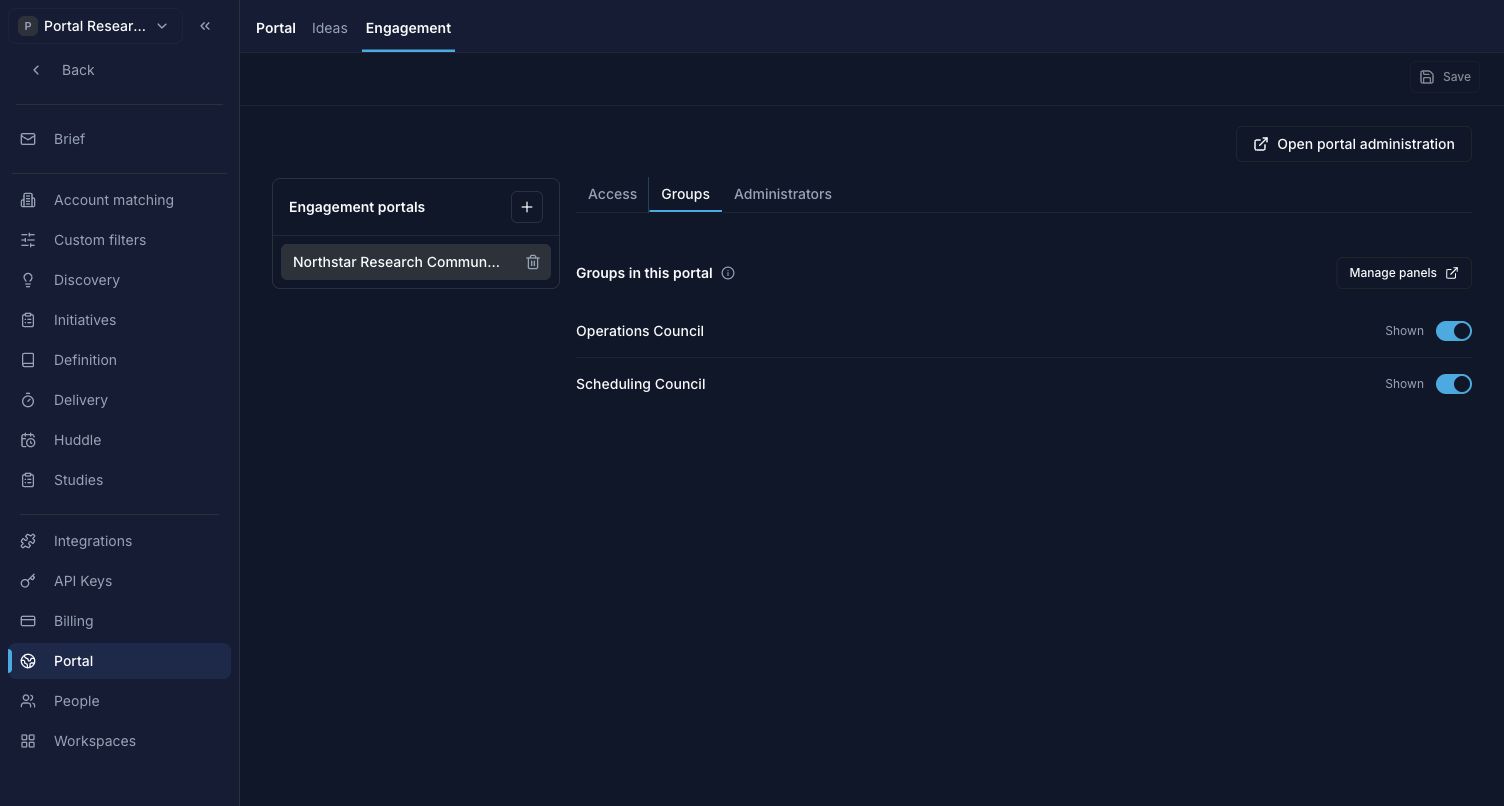
A shared Panel becomes available in this portal only when a workspace administrator shows it here.
Maintain the group’s people
Open the group’s audience roster to add or remove People. The roster may include people who have never joined this community. Use the separate Invite action to open reviewed enrollment for an eligible Person.
Group membership is shared with the underlying Panel. Adding or removing someone affects that Panel in Zentrik and other portals that use it. Check those uses before making a broad audience change.
For example, Casey can belong to both Scheduling Council and Operations Council. An item shared with both groups appears once in Casey’s personal research list. Removing Scheduling does not remove access that Operations still permits. Losing the last qualifying group removes access to private content that depends on those groups.
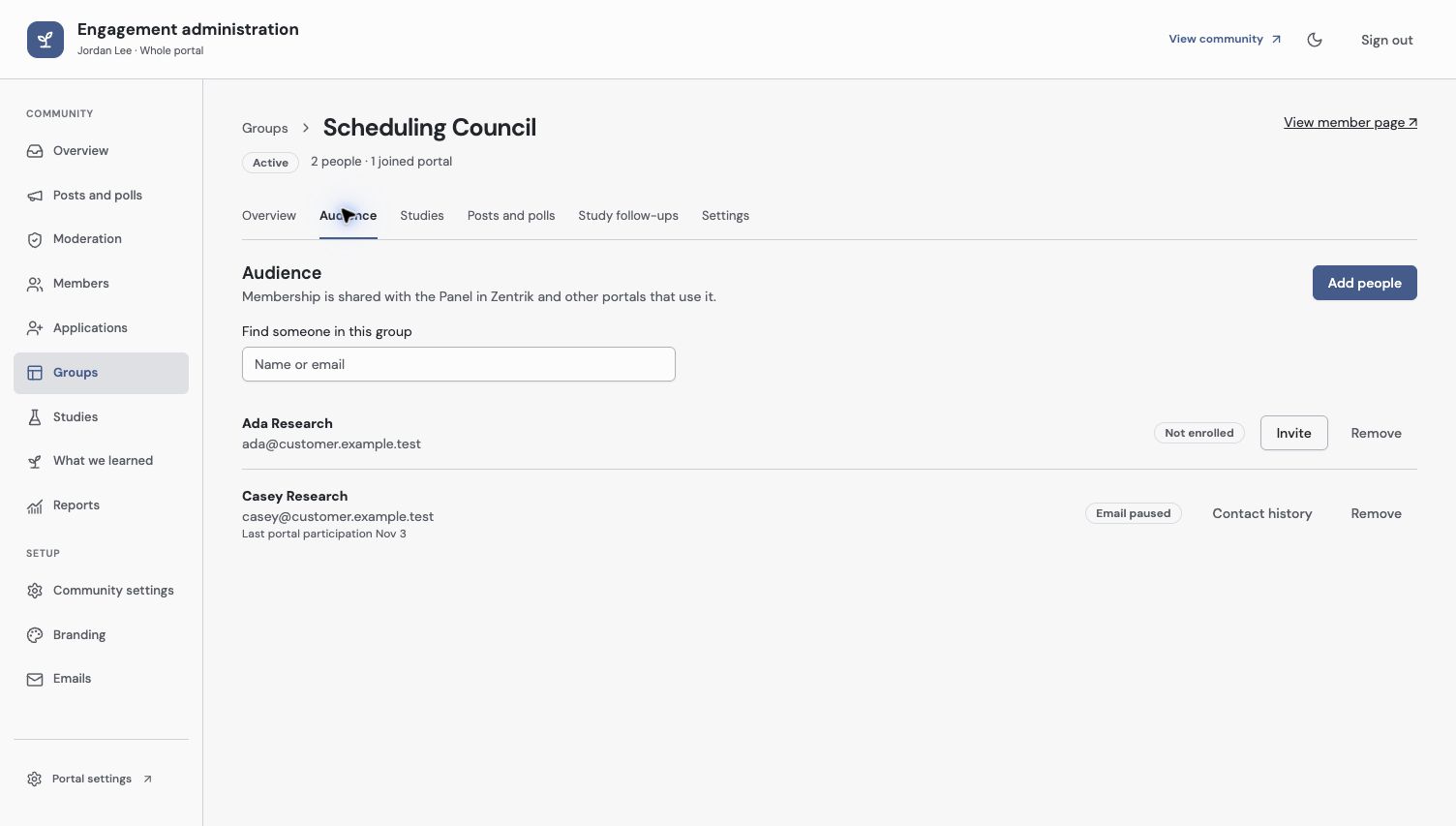
The roster includes People who have not joined. Panel membership, enrollment and email choices remain separate.
Check access and ownership
Open the group as an enrolled member and check its purpose, accessible content and available research. After an audience change, test the relevant saved private link with the affected member, not a whole-portal staff session.
An accountable owner is a responsibility label. Only current eligible staff can be assigned, and the assignment grants no additional access. If the owner becomes ineligible, update the owner or their separate grant as appropriate.
Check the current warning before hiding or archiving a group or Panel. Group visibility, Panel lifecycle, membership and published audiences are different settings; do not use them interchangeably to remove a member.
Next, invite group members or share a Study.
Troubleshooting
Someone is in the roster but cannot open the community
Check their portal enrollment and consent, participant identity, current group membership and whether the group is shown. A Panel row alone does not establish access.
The group owner selector does not list a colleague
Check active workspace membership and an existing administration grant for the group or whole portal. Assigning ownership cannot replace that grant.
Continue from here
Related guides
Did this guide answer your question?
Your response helps us prioritize missing or unclear documentation.
Still stuck?
Send your question to Zentrik support. This guide will be included automatically.