Publish a Study to eligible groups, explain the research question and review email separately.
Before you start
Create and launch the Study in Studies. Use the relevant guide for a self-guided Study, AI-guided interview, live interview or prototype test.
You need current portal administration for the intended groups and the required internal Study/team permission. A portal grant alone does not open an internal Study. Selecting People in the Study’s Audience does not publish a community card or send an email.
Publish a community card
- In portal administration, open Studies → Share a study.
- Choose an available Study. If it is missing, check its state and your internal permissions.
- Select the groups that should see it.
- Write the member-facing title, summary and duration. Complete What we want to learn and Why it matters. Add initiative context only when useful; it is not required for bottom-up research.
- Select Save and preview, review the card and audience, then choose Publish study card.
Write the introduction for a participant, not the internal planning team. Internal initiative titles and notes are not automatically safe customer copy. Check the actual participant welcome and questions as well as the community card before inviting people.
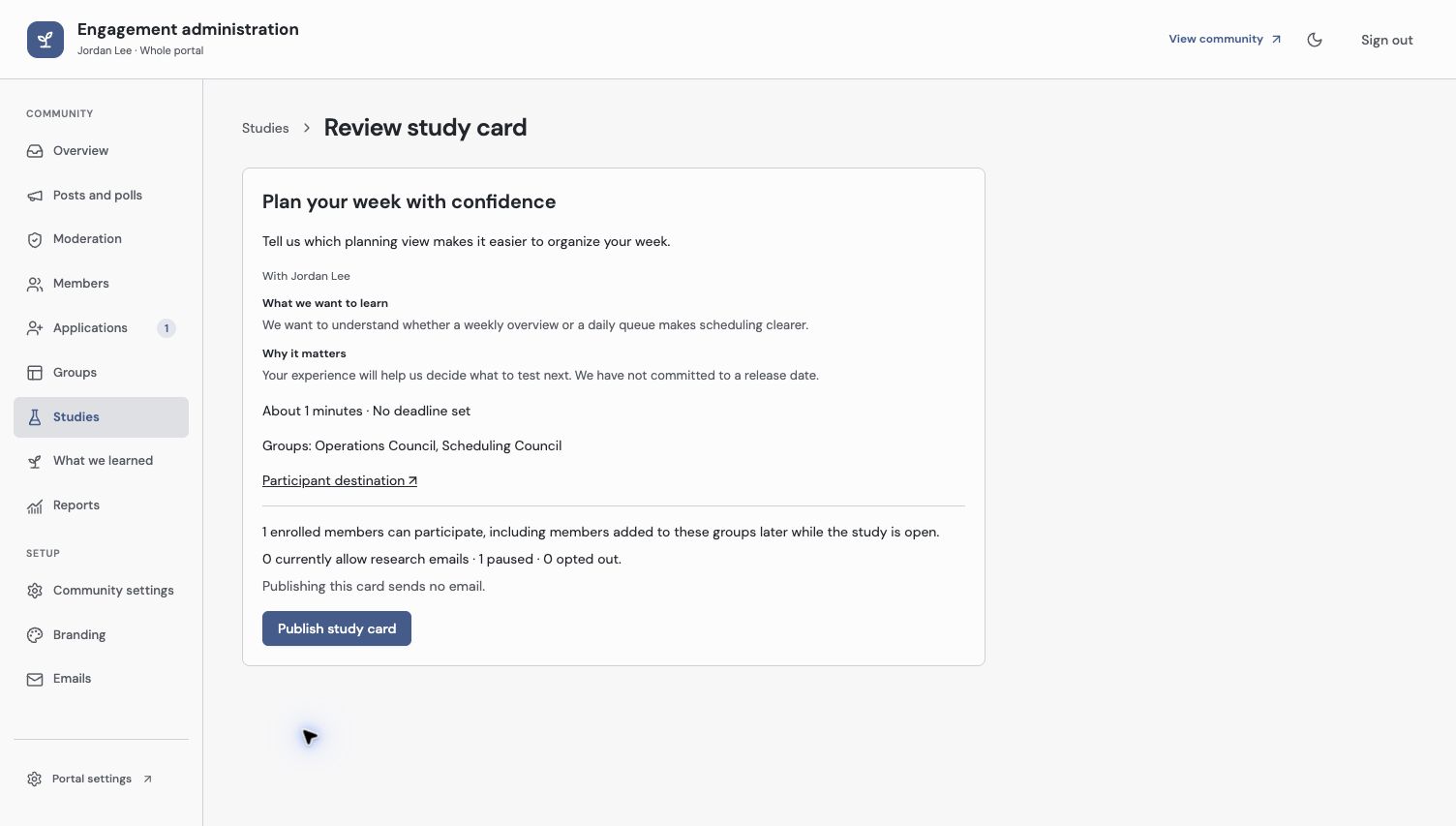
The card carries reviewed participant context. Publishing makes it available to eligible members and sends no email.
Understand access and notification
An eligible enrolled member can find the card while the Study is open even if you send no email. Members added to a selected group later can participate while it remains open. A Study shared with overlapping groups appears once in the member’s personal list.
Email is separate. Open the Study’s invitation/delivery controls to review recipients and send. A displayed invitation state depends on its recorded delivery; publishing the card does not establish that someone received a request.
Pausing email retains voluntary participation. Private reads, responses and files still depend on current access. A public Study remains public according to its sharing settings; completing it does not enroll someone into the community.
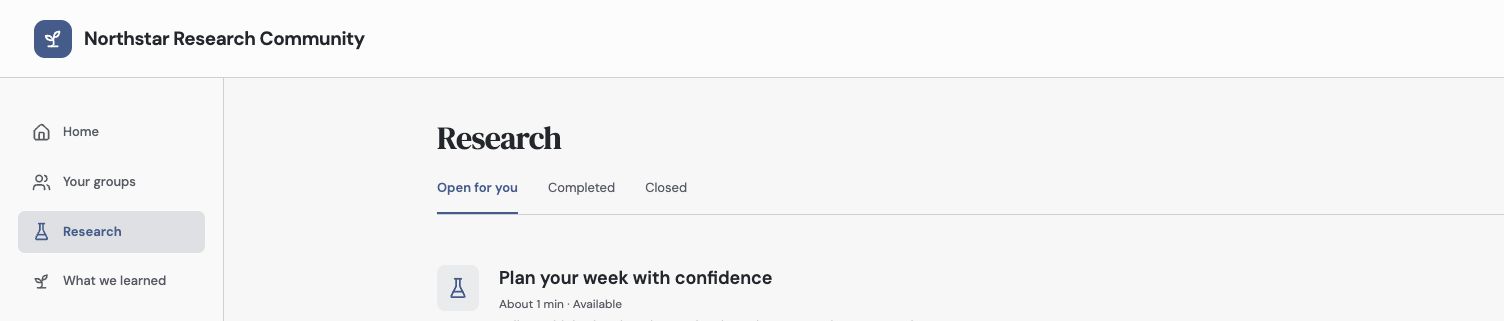
A member can find an eligible open Study without receiving an email, including while their emails are paused.
Check the response and close the loop
Open Research with an eligible participant identity. Confirm the card appears once, its context is useful and Start opens the correct Study. After submission, inspect Responses in Zentrik. Reload an already-open response page if it has not refreshed.
When research closes, publish what you learned. Withdrawal of a portal card and closing collection in Studies are different operations; use the current controls for the result you intend.
See Study audiences for selecting People and Review study findings for interpreting responses.
Troubleshooting
A private Study opens for staff but not a member
Test the actual member identity. Check enrollment, current group membership, the published card’s audience and the Study’s open state; staff preview is a different access path.
A member sees a closed or completed state
Check collection state and the recorded response before issuing another request. Do not send another invitation merely to change a list label.
Continue from here
Related guides
Did this guide answer your question?
Your response helps us prioritize missing or unclear documentation.
Still stuck?
Send your question to Zentrik support. This guide will be included automatically.